

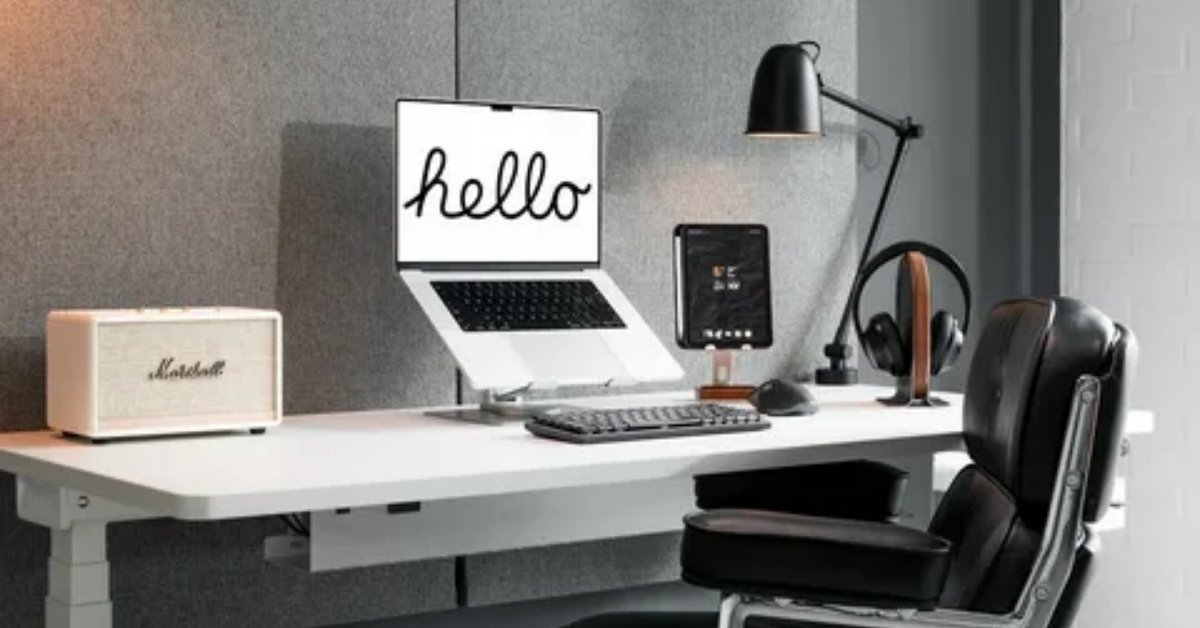
If your current “office” is a kitchen chair pulled up to a dining table that doubles as a homework station and a snack zone you’re not alone. Most home offices aren’t designed spaces. They’re corners that Low Budget Home Office Setup Ideas happened to have an outlet.
The good news is that a functional, comfortable workspace doesn’t require a renovation budget or a spare room. It requires some clear thinking about what’s actually making your setup feel chaotic whether that’s poor lighting, an uncomfortable chair, zero storage, or just the visual noise of too much happening in too small a space. This list tackles all of it.
If you’re working with a tight budget and a limited footprint, a rented room, a studio apartment, or a corner of a shared space these ideas are built for that reality.
Use a Corner Wall Shelf Instead of a Desk

Corner shelves mounted at desk height are one of the most underused solutions for small rooms. A single 24-inch L-shaped floating shelf gives you a proper workspace without the visual weight of a full desk and at a fraction of the cost. Pair it with a stool or backless chair that tucks under the shelf when you’re done. The wall is doing the structural work here, which means the floor stays visually clear. This works especially well in studio apartments or bedrooms where a full desk would eat into walking space.
Mount Your Monitor on a Wall Arm to Reclaim the Desk Surface
Monitor arms don’t have to be expensive; there are solid single-monitor arms under $30 that attach to most desks with a clamp. What this does practically: it lifts your screen to eye level (which helps your posture), and removes the monitor stand from your desk completely, giving you actual room to write, spread out papers, or just breathe. For renters, clamp-style arms don’t require drilling. The desk instantly feels larger and more organized without buying anything new.
Build a Desk from Two Filing Cabinets and a Tabletop

Two filing cabinets side by side either matching or intentionally mismatched with a solid wood plank or a hollow-core door on top makes a completely functional desk with built-in storage. The filing cabinets handle papers, folders, and office supplies. The surface can be sanded, stained, or painted. This is a genuinely practical setup for anyone who deals with a lot of physical documents or needs to organize by category. Total cost is often under $100 if you source the cabinets secondhand.
Use a Rolling Cart as a Portable Office Storage Unit
A simple rolling cart the kind used in kitchens or art studios works well as flexible office storage. You can roll it under the desk when it’s not needed, pull it next to you when you’re working, or move it to another room entirely. The top shelf holds current projects, the middle shelf holds supplies, and the bottom shelf can store cables, chargers, and peripherals. For renters or anyone in a shared space, the portability is the real advantage: nothing is permanently fixed to one spot.
Add a Clip-on Desk Lamp Instead of Relying on Overhead Lighting

Overhead lighting flattens your entire workspace into one uniform light level which is fine for general living but actively poor for focused work. A clip-on LED lamp directs light exactly where you need it, reduces eye strain on screens, and creates a sense of enclosure that helps with concentration. Clip-on desk lamps start at around $15 and take up zero desk space. In my experience, this single change does more for how a workspace feels than most furniture upgrades.
Turn a Deep Closet into a Dedicated Office Nook
A deep closet, even a standard reach-in, can be converted into a proper workspace. Remove the hanging rod, mount a shelf at desk height, add a pegboard to the back wall for supplies, and wire in a plug-in light strip along the top. When you’re done for the day, the doors close and the work disappears. This is particularly useful in smaller homes where separating work from living space is psychologically important but architecturally impossible. No drilling or permanent changes are necessary for most closet conversions.
Use a Pegboard for Desk Organization Without Shelving

A pegboard panel mounted above the desk replaces the need for a separate shelving unit. Hooks, shallow bins, cable organizers, small shelves, and even power strips can all attach directly to the board and be repositioned whenever your workflow changes. The cost per square foot of storage is extremely low. For anyone who switches between tasks (writing, drafting, tech work), a configurable pegboard adapts better than fixed shelving. It also keeps the desk surface clear while keeping supplies within arm’s reach.
Set Up a Standing Desk Option with an Adjustable Riser
You don’t need a motorized sit-stand desk to occasionally work standing. A simple adjustable riser (typically $40–$80) sits on top of your existing desk and raises your laptop or monitor to standing height. The alternative, a stack of hardback books or a sturdy box, also works as a free trial to see if standing for part of your day actually helps your focus. The health argument aside, changing posture during long work sessions reduces the kind of fatigue that comes from staying in one position for too many hours.
Hang a Simple Curtain to Create a Visual Boundary in a Shared Space

In open-plan apartments or shared rooms, visual separation matters more than physical separation. A ceiling-mounted curtain on a tension rod no drilling creates a defined work zone that can be drawn closed during calls or open when you want the room to feel larger. Sheer fabric lets light through while still creating a visual layer between spaces. This is especially useful for video calls: the curtain gives you a consistent, non-distracting background without installing a permanent room divider.
Use Vertical Wall Space for a Narrow Bookshelf Beside the Desk
When floor space is limited, vertical shelving beside the desk handles overflow storage without expanding your footprint. A narrow ladder shelf (18–20 inches wide) uses barely any floor space and can hold enough to keep the desk itself clear. Organize it by category: current work at eye level, reference materials above, supplies and less-used items at the bottom. The visual verticality also draws the eye upward, which makes the surrounding area feel slightly more open.
Read More About : 23 Aesthetic Home Office Ideas That Actually Make You Want to Sit Down and Work
Cable Manage with Binder Clips and Velcro Ties

Cable mess is one of the fastest ways to make a workspace feel chaotic and one of the cheapest to fix. Large binder clips attached to the desk edge keep cables routed to one side. Velcro ties bundle cables together behind the monitor. A cable box hides the power strip. None of this costs more than a few dollars, and the difference in how the desk looks and how easy it is to clean is immediate. Honestly, cable management is one of those things that doesn’t feel important until you do it and can’t imagine going back.
Use a Secondhand Dining Chair with a Lumbar Cushion Instead of a Cheap Office Chair
Cheap task chairs under $80 tend to feel flimsy, sit too low, and wear out quickly. A well-made solid-wood or upholstered dining chair found secondhand which often costs the same or less usually holds up better, looks better in a home environment, and can be made more ergonomic with a $15–20 lumbar cushion. The key is finding one with a seat height close to your desk height. This isn’t about aesthetics, it’s about having something that doesn’t actively hurt your back after two hours.
Add a Small Whiteboard or Corkboard Beside the Monitor

A dedicated surface for quick notes, to-dos, and reminders keeps them off your screen (and out of your head). A small magnetic whiteboard can be mounted with command strips with no permanent installation and used as a running task list that you can see at a glance without switching between apps. For visual thinkers, this kind of analog capture layer works better than digital notes for keeping track of what needs to happen today.
Use a Tension Rod Under the Desk to Hang a Fabric Organizer
A tension rod fitted just under the desk surface, paired with a hanging fabric organizer, creates hidden vertical storage without any permanent modification. Notebooks, tablets, chargers, headphones, everything that normally piles up on the desk surface can hang out of sight but within arm’s reach. This setup is particularly good for renters who can’t modify walls or desks. The tension rod holds up to a few pounds without issue and comes down in seconds.
Place the Desk Perpendicular to the Window for Better Natural Light

Most people instinctively place their desk facing a window or with the window behind them. Both create problems: the first causes glare on the screen, the second puts you in silhouette on video calls. Placing the desk perpendicular to the window lets natural light fall across the workspace from the side, which lights the desk evenly without creating screen glare or backlighting your face. If your room only has one window, this positioning is worth rearranging the furniture for.
Use a White or Light-Colored Desk Mat to Define the Workspace
A large desk mat, leather, cork, or fabric does two practical things: it protects the desk surface, and it visually organizes the workspace by defining a clear “work zone” within a larger surface. On a dining table or kitchen counter being used as a desk, this is especially useful for mentally separating work time from other activities. Light colors reflect ambient light and make the desk feel less heavy. Desk mats with built-in cable management channels are worth paying slightly more for.
Use Plugin Wall Sconces Instead of Floor or Table Lamps

Plug-in wall sconces which require no hardwiring, just an outlet mount at wall height and direct light downward onto the workspace. The cord runs along the wall and can be tucked behind furniture or managed with paintable cable covers. This keeps light off the desk surface entirely, which is useful when you need the desk clear, and creates a warmer, more directed light quality than a standard overhead fixture. In a small room, this also frees up desk and floor space that a lamp would otherwise occupy.
Use a Floating Shelf Above the Monitor for Reference Materials
A single floating shelf mounted directly above the monitor at around 18 inches above screen level keeps reference books, notebooks, and folders within the eyeline without cluttering the desk. The vertical proximity means you don’t have to stand up or turn around to grab what you need. This is particularly useful in compact setups where there’s no room for a separate bookshelf. One well-placed shelf handles more than most people expect.
Create a Makeshift Studio Background with a Tension Rod and Fabric

Video calls expose your background to everyone in the meeting, and a messy or distracting wall can be harder to manage than it seems. A tension rod mounted in a corner or doorway behind your chair, with a piece of solid-colored fabric or a curtain panel draped over it, creates an instant professional backdrop. No green screen, no blur filter required. Light-colored fabrics also reflect some of the ambient light back toward you, which slightly improves how you look on camera.
Add a Small Tray to Organize Everyday Items and Reduce Desk Clutter
A small tray or catchall container on the desk creates what designers call a “landing zone” a defined place where things belong. Keys, pens, sticky notes, a phone: when these have a designated spot, they stop spreading across the entire desk. The tray doesn’t need to be decorative. A shallow wooden box, a ceramic dish, or a simple metal tray all serve the same function. The real value is psychological: everything is where it’s supposed to be, which reduces the subtle low-grade stress of visual disorder.
Paint or Wallpaper One Small Wall Section Behind the Desk

If you own your space, a small area of contrasting paint or peel-and-stick wallpaper behind the desk makes the workspace feel intentional without a full renovation. You’re not designing a room, you’re defining a zone. A 4×4 or 4×6 foot section is enough to create a visual anchor for the desk. Peel-and-stick wallpaper works on rental walls too and is fully removable. In 2026, muted earthy tones and textured surfaces are replacing the stark white minimalism that dominated office setups for years which makes even a subtle painted section feel current.
Read More About : 24 Aesthetic Home Office Ideas That Actually Work in Real Spaces
Use a Laptop Stand to Improve Ergonomics Without a Second Monitor
A laptop stand, even a simple one made of wood or plastic at around $20–30 raises your screen to proper eye level and forces you to use an external keyboard and mouse, which are often more comfortable for extended work. The neck angle difference between working on a flat laptop versus an elevated screen is significant over a full work day. This is one of those setups where the ergonomic return on a $25 investment genuinely outweighs most other desk upgrades in terms of day-to-day comfort.
Dedicate One Drawer or Box Solely to “End of Day” Cleanup

A simple catchall box or shallow drawer labeled (or mentally designated) for end-of-day cleanup creates a cleanup habit with no friction. Before leaving your desk, everything that doesn’t belong on the surface goes in the box. The next morning, you sort it in two minutes. This isn’t a storage system, it’s a transition ritual that separates work time from non-work time in a home where those boundaries blur easily. The box can be anything: a fabric bin, a wooden crate, a lidded basket.
Use a Slim Bookcase as a Room Divider in an Open-Plan Space
A low, slim bookcase placed at the edge of your work zone creates a subtle boundary without closing off the space entirely. From the living side, it looks like a bookshelf. From the work side, it functions as a storage wall. The division it creates is more psychological than physical, but that’s often enough having a defined edge to your workspace helps mentally cue “work mode.” This works especially well in open-plan apartments where pulling a curtain might feel too drastic.
Use a Clip-on Power Strip to Add Outlets Without Running Long Cords

A power strip that clamps directly to the underside or edge of the desk keeps outlets where you actually use them at desk level without running a long extension cord across the floor. This is a safety and organization win: fewer trip hazards, shorter cable runs, and charging spots directly accessible from your chair. Clamp-on models start around $20. In a rented space where outlet placement wasn’t designed with desk work in mind, this is one of the more practical upgrades on this list.
Add a Small Indoor Plant for Visual Relief Without Taking Up Desk Space
Plants in a workspace reduce visual monotony which matters more during long work sessions than people expect. The key is keeping them off the desk. A small shelf beside the window, a wall-mounted planter, or a hanging pot keeps greenery in your field of view without taking up workspace. Low-maintenance plants like pothos, ZZ plants, or succulents need very little and last a long time. This is one I’d actually recommend trying first because it changes the character of a workspace without costing more than $10–15.
Use Color-Coded Folders and a Single Inbox Tray to Manage Physical Paperwork

Physical paperwork is one of the main sources of desk clutter in home offices and the standard advice to “go paperless” ignores that many people still deal with mail, invoices, and contracts in hard copy. A single letter tray as an “inbox” combined with a set of color-coded folders in a small rack handles most paper management without requiring a filing cabinet. The system only works if the tray is emptied and sorted once a week but the daily routine of dropping things in one place is low-friction enough that most people actually stick to it.
What Actually Makes These Low Budget Home Office Ideas Work
The difference between a setup that works and one that just looks organized in photos comes down to a few consistent principles.
The first is surface clarity. Every item on your desk competes for attention, and that competition has a real cognitive cost. The setups that function best regardless of budget are the ones where the desk holds only what’s actively in use. Storage is off the desk, not on it.
The second is light quality. Most homes are lit for general living, not for focused work. A task lamp, a repositioned desk, or a plug-in sconce can shift your workspace from functional-but-draining to genuinely comfortable for long sessions.
The third is boundary-making. In a home where work and non-work happen in the same physical space, small signals matter: a curtain that closes, a desk mat that defines the zone, a cleanup box that marks the end of the day. These aren’t aesthetic choices, they’re functional tools for maintaining mental separation between modes.
Low Budget Home Office Setup: Space and Budget Guide
| Idea | Space Type | Budget Range | Primary Problem Solved |
| Corner floating shelf desk | Studio / small bedroom | Under $40 | No room for full desk |
| Filing cabinet desk | Any size room | $60–$120 | Storage + workspace combined |
| Pegboard wall organizer | Small office / shared desk | $25–$60 | Desk surface clutter |
| Monitor wall arm | Any desk | $20–$50 | Poor posture, cluttered desk |
| Clip-on task lamp | Any workspace | $15–$30 | Flat, inadequate lighting |
| Tension rod + fabric background | Shared space / renters | $15–$30 | Distracting video call background |
| Rolling cart storage | Rental / flexible space | $30–$70 | Nowhere to put supplies |
| Closet conversion | Studio / bedroom | $50–$150 | No dedicated work zone |
| Laptop stand + external keyboard | Laptop-only setup | $25–$60 | Poor ergonomics |
| Plug-in wall sconce | Desk without nearby lamp | $20–$50 | Poor lighting, no floor space |
Common Home Office Mistakes That Make Small Spaces Feel More Cramped
Facing the window directly.
Glare on the screen, silhouette on video calls, and eye strain by afternoon. The fix is to simply turn the desk 90 degrees.
Putting everything on the desk.
Monitors, printers, filing trays, chargers, speakers the desk becomes a storage surface rather than a workspace. Move anything you use less than twice a day off the desk.
Using a single overhead light.
A central ceiling light creates one flat light source that casts shadows downward on the desk. Layering a task lamp, even a cheap one, immediately changes the depth and comfort of the workspace.
Choosing a chair based on looks or price alone.
A $60 task chair that hurts after an hour is more expensive than a $80 secondhand chair with a good lumbar cushion that you can actually sit in all day.
Ignoring cable management.
Cables spread across the desk, along the floor, and behind the monitor make the entire workspace feel messier than it is. Ten minutes and a few binder clips or velcro ties fixes most of it permanently.
Making the workspace too “cozy.”
Soft lighting and comfortable seating are good; low light and a too-comfortable chair can actively work against focus. The workspace needs enough brightness to see clearly without strain.
Frequently Asked Questions
What’s the most important thing to prioritize in a low budget home office setup?
Ergonomics first specifically chair height and monitor position. Poor posture during long work sessions causes fatigue and physical discomfort that compounds over time. A $20 laptop stand and a lumbar cushion will do more for your day than aesthetic upgrades.
How do I set up a home office in a small room or studio apartment?
Work vertically. Floating shelves at desk height, pegboards on the wall, and compact furniture that folds or tucks away keep the floor clear. A corner floating shelf or closet conversion gives you a dedicated workspace without permanently occupying the room.
Is it worth buying a standing desk on a budget?
Not necessarily. A desk riser or adjustable standing converter ($40–$80) placed on your existing desk achieves the same posture variety for less money. Motorized standing desks become worth it once you’re sure you’ll actually use them which is easier to confirm after trying a riser first.
How do I reduce distractions in a shared home office space?
Visual and audio separation both matter. A curtain or low bookcase creates a visual boundary. Noise-canceling headphones or even simple foam earplugs handle ambient noise better than most home layouts can manage architecturally.
What’s the best way to manage cables in a home office without drilling into walls?
Binder clips along the desk edge, velcro cable ties to bundle runs, and a cable box for the power strip handle most cable management without any permanent installation. Paintable cable raceways are another renter-friendly option for running cables along the baseboard.
How do I make video calls look more professional without spending much?
Position your desk so you face a window (natural light on your face, not behind you), hang a simple fabric panel behind your chair on a tension rod for a clean background, and use a clip-on ring light if your room has little natural light. Total cost under $30.
What’s the difference between a functional home office and one that just looks organized?
A functional setup prioritizes ergonomics, lighting, and workflow things that affect how you feel and perform over hours. A “looks organized” setup often prioritizes matching aesthetics but can still be uncomfortable, poorly lit, or inefficient. Both matter, but function should drive the decisions first.
Conclusion
A home office doesn’t need to be expensive or perfect. What it needs to do is support how you actually work comfortably, without constant frustration about lighting, clutter, or posture. Most of the ideas in this list solve a specific problem, and most of them cost less than a single piece of branded “office decor.”
Start with one or two changes that address what’s genuinely bothering you most right now. If it’s uncomfortable, start with ergonomics. If it’s cluttered, start with storage. If it’s lighting, a $20 lamp might be all it takes. Small, practical improvements stack up quickly and a workspace that actually functions well is worth far more than one that photographs well.
