

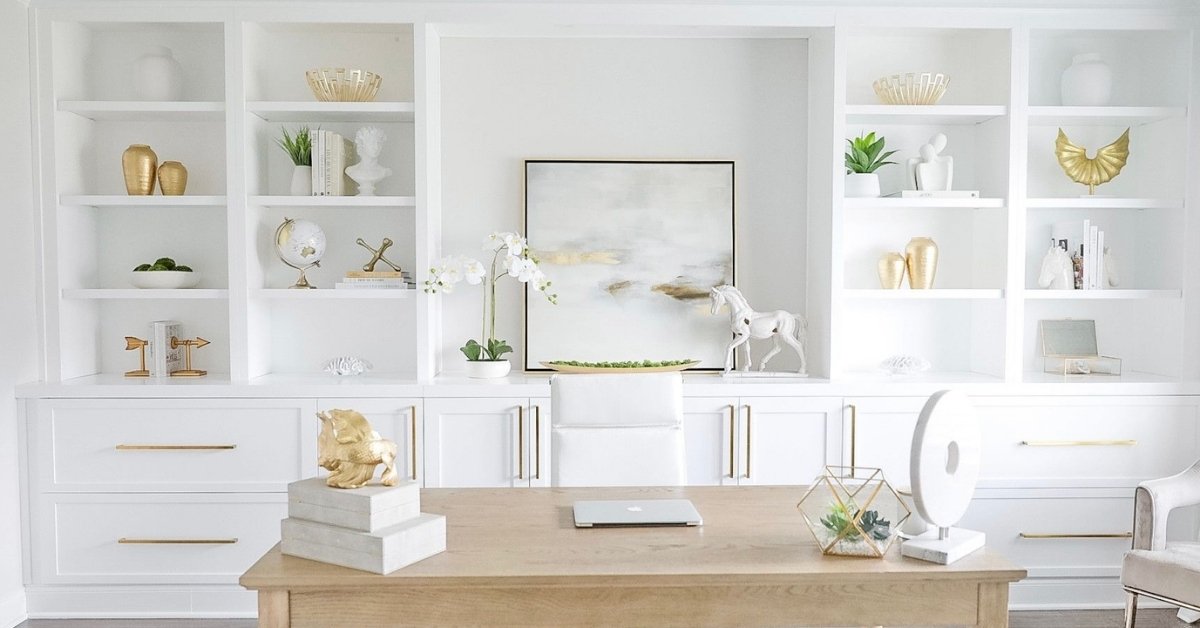
Most home office setups look polished in photos and fall apart in practice. The lighting is off, the desk is too shallow, or the chair is blocking the only natural light in the room. If your workspace feels Home Office Ideas more like an afterthought than an actual place to get things done, you’re not alone and honestly, a few intentional decisions can change that more than any furniture haul ever would.
For anyone trying to carve out a focused, functional corner of their home whether it’s a spare bedroom, a hallway nook, or a shared living space these ideas are built around how people actually work, not just how workspaces look on a mood board.
The Wall-Mounted Floating Desk in a Tight Corner

When floor space is limited, a floating desk is one of the most practical things you can do. Mounted at the right height typically 28 to 30 inches it functions exactly like a freestanding desk while keeping the area below open, which makes even a small room feel less boxed in. Pair it with a wall-mounted shelf above for storage, and you’ve created a full workstation without sacrificing any actual floor space.
This setup works especially well in studios or spare bedrooms where a bulky desk would dominate the room. The lack of legs also makes cleaning easier, which matters more than people realize in a space you’re in every day.
The Closet Office Conversion (Cloffice)
Removing the doors from a standard closet and adding a desk surface turns dead storage into one of the most contained work zones you can create in a shared home. When the workday ends, you visually “close” the office by walking away from it. There’s a mental boundary that’s harder to establish when your desk is just sitting in the corner of the living room.
In my experience, this setup works best when you invest in the lighting. A small overhead fixture inside the closet or an LED strip along the top shelf prevents eye strain and makes the space feel intentional rather than improvised. Good for renters, too; most of the changes are reversible.
Window-Facing Desk for Natural Light Optimization

Positioning your desk so the window is to the side not directly in front or behind is one of those small layout decisions that makes a significant difference over the course of a workday. Direct front-facing light creates glare on screens. Direct backlight turns you into a silhouette on video calls. Side lighting gives even, soft illumination that works with both screens and cameras.
This matters most in south- or west-facing rooms where midday and afternoon sun is intense. A sheer curtain does the filtering work without blocking the light entirely.
The Bookshelf Room Divider Office in an Open Layout
In a studio or open-plan apartment, defining the office zone is as important as furnishing it. A tall bookshelf used as a room divider creates a visual wall without blocking light or requiring any construction. Position the desk on the back side, facing the shelf, and the living area becomes something you’re mentally separated from even if it’s three feet away.
The shelf doubles as storage and styling surface, so it’s earning its keep from both sides. This is one of the better solutions for open layouts where a fully enclosed office isn’t possible.
Dual Monitor Setup with a Deep-Desk L-Shape Layout

If your work requires multiple applications open at once, the monitor arrangement matters more than the desk itself. An L-shaped layout gives you a primary monitor zone and a secondary surface for notes, a laptop, or a secondary display without feeling cluttered. Monitor arms are the critical piece: they free up the desk surface, allow height adjustment, and improve posture over a standard stack setup.
The L-shape works particularly well when placed in a corner, since it uses dead corner space and keeps walking paths around the room open.
The Minimal Single-Wall Office with Pegboard Storage
Pegboard solves a very specific problem: vertical storage in a space that doesn’t have room for bookshelves or a filing cabinet. The system is entirely customizable; you can add hooks for headphones, small shelves for notebooks, a mounted monitor arm, or even a small whiteboard panel. Everything that would normally sit on the desk goes on the wall instead.
This approach works well in narrow rooms or spaces where the desk has to sit flush against a wall. The setup is also renter-friendly since a pegboard can be mounted with minimal damage.
Home Office Alcove with Built-In Shelving and Task Lighting

An architectural alcove, even a shallow one, is one of the best natural starting points for a home office. The three enclosed walls create a sense of containment and focus that an open-room desk rarely achieves. Adding built-in shelving on either side of the desk extends storage upward rather than outward, and a recessed or surface-mounted light above gives direct task lighting without taking up desk space.
The alcove naturally separates the work zone from the rest of the room, which is useful in bedrooms or living areas where you’re trying to keep work and rest mentally distinct.
A Standing Desk with Anti-Fatigue Mat and Cable Management System
The case for a height-adjustable standing desk isn’t really about standing all day; it’s about having the option to shift positions without fully stopping work. The most practical version of this setup pairs the desk with a quality anti-fatigue mat (at least 3/4 inch thick) and a monitor at true eye level when standing. Most people set their monitor too low, which negates the ergonomic benefit entirely.
If you spend more than five hours a day at a desk, this is the upgrade with the most real-world return not in a general wellness sense, but in reduced back tension over a working week.
The Warm Lighting Layer System for a Non-Harsh Work Environment

Most home offices rely on a single overhead light, which creates shadows directly on the work surface and flattens the room visually. A layered approach overhead ambient light, a dedicated task lamp, and a soft bias light behind the monitor eliminates harsh contrasts that cause eye fatigue during long sessions.
The bias light behind the monitor is the underused piece here. It reduces the brightness differential between the screen and the surrounding wall, which is what causes that specific end-of-day headache many people attribute to “screen time” generally.
Read More About : 27 Amazon Dining Decor Finds That Make Your Table Look Intentional (Not Just Decorated)
Neutral Paint with One Textured Accent Wall Behind the Desk
The wall directly behind your desk shows up on every video call, which gives it double purpose. A textured accent wall limewash plaster, simple wood paneling, or even a dark matte paint creates depth without competing with the work surface. It also prevents the flat, blown-out background that comes from sitting in front of a bare white wall with overhead lighting.
Practically, this is one of the lowest-effort visual upgrades for a home office. It doesn’t require new furniture or reorganization, just a decision about one wall.
The Murphy Bed + Desk Combo for a True Guest Room / Office

In a room that needs to serve as both office and guest space, a wall bed with an integrated desk is the most honest solution available. When the desk is down, the room functions as an office. When the bed is down, the desk folds back into the unit. The setup requires no daily rearranging; it’s a simple switch between two modes of the same room.
This only works in rooms with at least 10 feet of ceiling-to-floor height on the bed wall, and it requires proper installation into studs. But for anyone dealing with a one-bedroom apartment and occasional guests, it’s worth the upfront investment.
Dedicated Zoom Background Shelf Styling with Task Lighting
Since video calls are a daily reality for most remote workers, the background behind your desk functions as a kind of professional setting whether you treat it that way or not. A well-styled shelf books with spines outward, a small plant, one or two objects that add texture reads as organized and intentional without being distracting.
The lighting in front of you (between you and the camera) matters more than the background styling. A small ring light or a desk lamp placed just off to the side and slightly in front gives even facial light that reads clearly on the other end.
Compact Rolling Cart as a Mobile Office Accessory Station

A three-tier rolling cart is a quietly effective piece of office infrastructure. It holds the things that need to be accessible but don’t need to be on the desk: a small printer, extra paper, notebooks, a cable charging station. It rolls away when not needed and rolls back in when it is.
This works especially well in shared offices or multi-purpose rooms where the workspace needs to flex. It’s a better solution than adding more shelving, because it’s movable and doesn’t commit to a layout.
Curtain Room Divider for Privacy in Shared Spaces
A ceiling-mounted curtain track with a linen or velvet panel is one of the simplest ways to create a divided workspace in a room that doesn’t have walls for it. When the curtain is closed, the office is its own zone, sound is partially dampened, visual distractions are blocked, and the mental shift into work mode is more distinct. When it’s open, the room flows normally.
This is particularly useful for lofts, large bedrooms, or open-plan spaces. Installation requires some ceiling anchors, but the setup is reversible and doesn’t require any permanent construction.
Dark and Moody Office Aesthetic with Controlled Lighting

The “dark office” aesthetic has moved well beyond trend territory into something that actually works for a specific kind of work environment, one where you’re doing focused, solo work and want to feel enclosed rather than open. Deep green, navy, charcoal, or plum on all four walls creates a room that reads as intentional rather than dark, especially when the lighting is warm and layered.
The practical trade-off: this setup requires more artificial lighting investment. A single overhead bulb in a dark room creates harsh contrast. Multiple warm sources at different heights are what make it work.
Glass Desk for Visual Lightness in a Small Office
Tempered glass desks earn their place in small rooms by refusing to visually occupy space the way wood or MDF surfaces do. The desk is there functionally but the eye passes through it to the floor, which makes the room read as more open than it is. The effect is most noticeable in rooms under 100 square feet where every surface competes for visual space.
The maintenance trade-off is real: glass shows fingerprints and marks more readily than other surfaces. That said, it cleans quickly and the visual payoff in a tight space usually outweighs the upkeep.
The Dual-Purpose Dining Table Office Setup (Done Right)

For people who genuinely don’t have a dedicated room, the dining table can be a functional workspace but only if there’s a system for transitioning in and out of work mode quickly. The key is keeping a small basket or tray that holds all the work accessories: a laptop stand, a wireless keyboard and mouse, chargers, and headphones. Everything goes in the basket when the table needs to be a table again.
A portable monitor stand (one that folds flat) and a wireless setup eliminate the daily cable untangling that makes this setup feel chaotic. I’ve noticed this works best for people with predictable working hours rather than those who need to drop in and out of work throughout the day.
Built-In Desk Nook Under the Stairs
The space beneath a staircase is structurally awkward and functionally underused in most homes. A built-in desk that follows the slope of the stairs turns that dead zone into a contained office nook with a naturally defined ceiling and three walls. The sloped ceiling actually works in the setup’s favor; it gives the space a cavelike, focused quality that flat ceilings don’t.
This requires a carpenter or confident DIYer for the build-out, but the result is a purpose-built office that doesn’t borrow space from any other room. In homes without a spare bedroom, this is often the cleanest dedicated workspace option available.
Acoustic Panels for Sound Control in Hard-Surface Rooms

Hard floors, bare walls, and high ceilings create echo and background noise that make both concentration and video calls noticeably harder. Acoustic panels either store-bought or DIY with rockwool insulation and fabric absorb mid and high-frequency sound, reducing that hollow reverb that makes rooms feel loud.
They’re especially relevant in apartments with concrete ceilings or rooms with hardwood floors and minimal soft furnishings. Three to four panels positioned around the desk cover most of the problem without fully deadening the room.
Vertical Garden Wall for Air Quality and Visual Calm
A vertical arrangement of low-maintenance plants snake plants, pothos, ZZ plants along one wall of a home office serves two functions: it adds visual softness to a space that tends to be hard-surfaced, and it improves air quality in a room that’s typically closed for hours at a time. The vertical arrangement keeps the floor plan open while still bringing in significant greenery.
This works particularly well in offices with north or east-facing windows, where light is steady but not intense exactly what most low-maintenance indoor plants prefer.
The L-Desk with Hidden Cable Management System

Cable clutter is one of the fastest ways to make a well-designed office feel chaotic. An under-desk cable management tray typically mounted with adhesive or screws just under the surface collects all power strips, adapters, and loose cables into one invisible zone. Monitor arms remove the cables from the desk surface entirely.
The actual setup takes about an hour and costs under $50 in parts, but the visual result is close to a cable-free workspace. This is one I’d actually recommend trying before any furniture change, because the before-and-after difference is more noticeable than almost anything else in a home office.
Read More About : 21 Dining Room Lighting Over Table Ideas That Change How the Whole Room Feels
Linen or Bouclé Chair for Comfort Without Bulk
Most ergonomic office chairs are designed for eight-hour commercial use, which means they’re large, often dark-colored, and visually dominant in a room. A task chair upholstered in linen, boucle, or a muted fabric sits lighter in the space while still providing adequate lumbar support for a typical remote work schedule.
This trade-off matters less for people who work six or more hours at a desk daily; those users should prioritize ergonomics over aesthetics. But for a two to four hour workday, a well-made fabric chair is a reasonable middle ground.
Monochromatic Office Color Scheme for Visual Cohesion

A monochromatic palette in a home office works differently than in a living room. Rather than creating interest through color contrast, it creates calm which is the actual goal in a work environment. When the walls, desk surface, shelving, and chair are all within the same tonal range, the room reads as settled and uncluttered even when it’s fully furnished.
The practical benefit: it makes mismatched furniture less visible. If your desk and chair came from different sources, pulling them into the same color story makes them read as a set.
Dedicated Charging and Tech Station on Desk Corner
A charging station, a multi-port hub or a tray with built-in wireless charging establishes a fixed landing spot for every device. Headphones, phones, tablets, and anything else that needs power has a place, which prevents the scatter that happens when devices are charged wherever the cable reaches.
The organizational benefit compounds: once everything has a fixed home, the desk surface stays more consistently clear. This is infrastructure-level organization rather than aesthetic, and it has a disproportionate effect on how focused the space feels.
Window Bench with Built-In Storage Below for a Reading + Work Zone

A window bench with storage below creates a second functional zone in a home office without adding a separate piece of furniture. The surface serves as a reading spot, a place to review printed documents, or an occasional secondary work area. The storage drawers below handle overflow files, office supplies, equipment that would otherwise need a separate cabinet.
In rooms with a bay window or deep sill, this is often the most natural use of space. It also gives the room a built-in quality that freestanding furniture rarely achieves.
Warm Wood Tones Against Light Walls for Visual Balance
The combination of warm wood tones against light, neutral walls is effective in home offices specifically because it’s visually grounding without being heavy. Wood adds the warmth that all-white offices lack without introducing color contrast that competes with screens and materials on the desk surface.
The key is keeping the wood tones consistent; mixing cool gray wood with warm honey oak creates tension rather than balance. Picking one undertone and sticking with it across the desk, shelving, and any other wood elements gives the room a cohesion that feels deliberate.
The Minimal Japandi Office with Negative Space as a Design Feature

Japandi, the hybrid of Scandinavian and Japanese minimalism has been one of the more durable design directions of the past few years, and it translates particularly well to home offices because its core principle is intentional restraint. Everything on the desk has a purpose; nothing is there for decoration. The empty space on the surface is considered part of the design, not a sign of incompleteness.
In practice, this means committing to ruthless editing: one monitor (or none), a single lamp, a keyboard, and a notebook. The payoff is a workspace that creates almost zero visual noise, which is genuinely useful when the work itself is mentally demanding.
What Actually Makes These Home Office Ideas Work
The ideas above span a wide range of spaces and budgets, but they share a few underlying principles that determine whether a setup is actually functional or just photogenic.
Separation, even if it’s symbolic.
The home offices that hold up over time are the ones that create some version of a boundary between work and the rest of the home whether that’s a dedicated room, a curtain, a facing wall, or even just a consistent physical orientation. Without it, the mental transition into and out of work mode is harder to sustain.
Lighting is load-bearing.
More than furniture or color, the lighting situation determines how a workspace functions over the course of a full day. Natural light from the side, layered artificial sources, and a bias light behind the monitor cover most of the problems people run into eye strain, poor video call quality, and end-of-day fatigue.
Ergonomics before aesthetics.
A visually beautiful workspace that causes back pain or neck strain within two hours is not a functional workspace. Desk height, monitor height, chair support, and keyboard placement take priority. The aesthetic can come after the ergonomics are set.
Storage that’s actually accessible.
Shelves eight feet up a wall are technically storage, but they’re not practical storage. Keeping the things you use daily within arm’s reach and archiving everything else is what keeps a desk surface clear rather than a constant project.
Home Office Setup Comparison Table
| Setup | Best For | Space Type | Key Problem Solved | Difficulty |
| Floating wall desk | Small rooms, renters | Under 100 sq ft | Floor space loss | Low |
| Closet conversion | Shared homes, apartments | Any with a closet | Work/life boundary | Medium |
| L-shape corner desk | Heavy computer users | 120 sq ft+ | Dual monitor space | Low |
| Murphy bed + desk | Guest room doubling | 100–140 sq ft | Competing room functions | High |
| Pegboard single wall | Minimalists, tight budgets | Any | Vertical storage | Low |
| Alcove built-in | Permanent setups | Architectural alcoves | Wasted nook space | High |
| Dining table system | No dedicated room | Open plan / studio | No dedicated space | Low |
| Under-stairs nook | Homes with stair space | Houses | Dead architectural space | High |
Common Home Office Mistakes That Make Spaces Harder to Work In
Placing the desk against the wall you face all day.
A wall that’s eight inches from your face creates a low-grade claustrophobia that affects concentration more than people realize. If possible, face a window or the open room even in a small space.
Buying a chair last.
The chair is used more hours than any other piece of furniture in an office. Spending well on the desk and poorly on the chair is a common order of operations that doesn’t hold up after the first week of real use.
Overhead-only lighting.
A single ceiling fixture casts downward shadows directly onto the work surface and creates glare on screens. Adding a desk lamp and a soft light source elsewhere in the room resolves most lighting complaints without any wiring.
Using shelving that’s too deep.
Standard shelving units (12–15 inches deep) in a small office eat more floor space than necessary. Floating shelves at 8–10 inches deep hold most office items, books, binders, equipment without the visual weight.
Not planning for cables from the start.
Retrofitting cable management around an existing setup is harder than building it in from day one. Running cables through a tray under the desk before the desk is fully loaded takes about 30 minutes and prevents a persistent visual problem.
FAQ’s
What’s the most important thing to get right in a home office setup?
Lighting and ergonomics are the two factors that affect daily function more than anything else. Natural side lighting, a monitor at eye level, and a chair with proper lumbar support are the baseline; everything else is secondary. A visually nice office that causes physical discomfort within two hours is not a functional office.
How do I set up a home office in a small apartment with no extra room?
The most practical options for small apartments are a closet conversion (cloffice), a floating wall-mounted desk in a corner, or a fold-down desk on a wall. Each creates a functional workspace without permanently occupying floor space. A ceiling-mounted curtain can add a visual boundary if the desk is in a shared room.
Floating desk vs. freestanding desk which is better for a home office?
A floating desk is better when floor space is limited and the installation point has studs for secure mounting. A freestanding desk is more flexible, it can be moved, and it doesn’t require wall modifications. For renters in apartments with limited space, a floating desk is often the more practical choice. For larger rooms with permanent setups, a freestanding L-shape desk typically offers more surface area and storage.
How can I make video calls look more professional from home?
Two things matter most: lighting in front of you (between you and the camera) and what’s directly behind you. A small lamp or ring light positioned just off to the side and slightly in front of your face gives even, clear illumination. A styled shelf or a textured wall behind the desk creates a clean, intentional background. Both can be improved without significant cost.
Is a standing desk worth it for a home office?
For people working six or more hours daily at a desk, a height-adjustable standing desk has a real return in reduced back and hip tension. The benefit comes from being able to shift positions, not from standing all day most users end up alternating every 30–90 minutes. Pair it with a quality anti-fatigue mat and a monitor set to true standing eye level, otherwise the ergonomic benefit is reduced.
How do I reduce echo and noise in a home office?
Hard surfaces reflect sound bare walls, hardwood floors, and high ceilings are the main culprits. Adding fabric acoustic panels (3–4 on the main wall), a large rug, and soft furnishings like curtains absorbs mid and high-frequency sound and reduces reverb. This is particularly relevant for video calls where echo is noticeable to the other party even when it isn’t to you.
What color works best for a home office?
Neutral and mid-tone colors with warm undertones, warm whites, soft greiges, sage green, and muted blue-greens tend to work well because they don’t compete with screens or cause visual fatigue over long periods. Deep, saturated colors (forest green, navy, charcoal) work in offices with good artificial lighting. Avoid cool whites without warm light sources they read as clinical under fluorescent or cool-temperature LEDs.
Conclusion
Getting a home office to function well doesn’t require a full renovation or a large budget, it requires a few decisions made in the right order. Lighting and ergonomics first, layout second, aesthetics third. When those are aligned, the space holds up through a real working week rather than just looking good in a single photo.
Start with one or two ideas that match your actual constraints, your room size, your budget, whether you rent or own. Adjust the desk height, fix the lighting, clear the cables. Small interventions in the right areas make the work itself feel easier, and that’s the point.
