

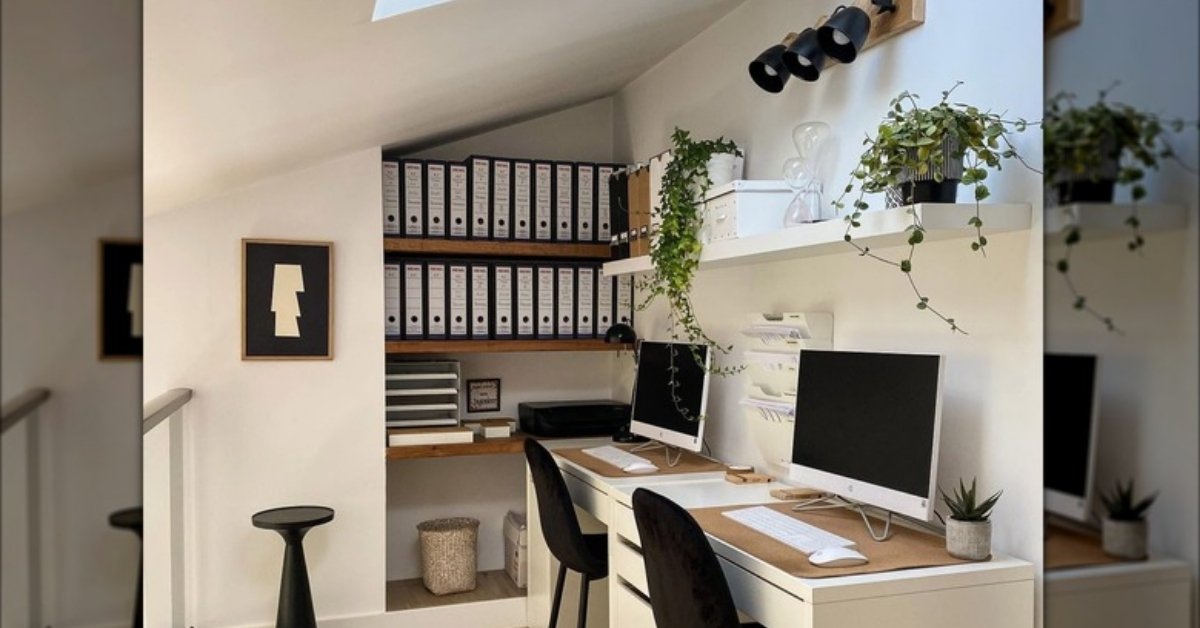
If your desk setup feels draining by 2pm, the lighting is probably doing more damage than you think. Most people treat desk lighting as an afterthought: a random lamp shoved in the corner Desk Lighting Ideas and end up with glare, eye fatigue, or that washed-out fluorescent effect that makes every work session feel more exhausting than it needs to be. Good desk lighting isn’t about aesthetics alone. It directly affects how long you can focus, how tired your eyes get, and whether your workspace feels like a place you actually want to sit at.
Whether you’re working with a compact apartment desk, a dedicated home office, or a dual-purpose bedroom setup, these ideas work across room types and budget ranges.
Adjustable Arm Lamp Positioned at 10 O’Clock

The 10 o’clock position upper left if you’re right-handed is where most lighting professionals will tell you to start, and for good reason. Placing your task lamp slightly behind and to the side of your dominant eye prevents the light from casting shadows across your work surface while keeping glare off your screen. An adjustable arm lets you redirect the beam as your tasks shift throughout the day angled lower for reading, raised for screen work. This setup is especially practical on desks with limited surface space because the arm mounts directly to the desk edge, freeing up room. Works best in corner desk setups or compact workstations where floor space is tight.
LED Strip Lighting Along the Back of the Monitor
Bias lighting strips placed along the back edge of your monitor reduces the contrast between your bright screen and the darker room behind it. That contrast shift is one of the primary causes of eye strain during long screen sessions. Warm white LEDs (around 3000–3500K) work best here; anything cooler starts to feel clinical and can disrupt evening focus. The setup is straightforward: adhesive LED strips attach directly to the monitor back, powered by USB. It won’t replace a task lamp, but as a secondary layer, it noticeably reduces the harshness of looking at a bright screen in a dark room. This is one I’d actually recommend trying first because it’s low cost and reversible ideal for renters.
Clip-On Desk Lamp for Small or Shared Desks

When your desk doubles as a dining table or fits into a bedroom corner, a clip-on lamp is often the most practical solution. It eliminates the base footprint entirely and positions the light source right where you need it. The better models now offer adjustable color temperature useful when your schedule shifts between early-morning work and late-night focus sessions. The constraint to watch for: clip-on lamps work on desk edges up to about 2 inches thick, so check your surface before ordering. This setup solves the common problem of losing workspace to a lamp base on an already cramped desk.
Natural Light + Sheer Curtain Diffusion Setup
The best desk lighting is often the one you don’t have to buy. Positioning your desk perpendicular to not directly facing a window creates soft, even natural light across your workspace without the direct glare that causes monitor washout. Adding a sheer curtain in a neutral linen or white diffuses harsh sunlight into a consistent, shadow-free working environment. This setup is ideal for home offices with good window access and reduces reliance on artificial light during daylight hours. The practical limitation: it depends on your room’s orientation. North-facing windows in the Northern Hemisphere offer the most consistent, non-direct natural light throughout the day.
Warm Pendant Light Above a Standing Desk

Standing desks create a lighting challenge that most people don’t anticipate. The standard desk lamp you were using at seated height is now too low, positioned at torso level, casting odd shadows upward. A pendant light hung roughly 18–24 inches above the desk surface solves this by delivering overhead task lighting that scales with your posture. Matte black or brushed brass pendants with an Edison-style or frosted bulb keep the look grounded without adding visual clutter. This setup works especially well in open-plan spaces where the pendant also functions as a visual anchor for the work zone.
Dual-Light Layering: Task + Ambient Combined
Relying on a single desk lamp creates a problem: the light pool it produces is dramatically brighter than the rest of the room, and that contrast taxes your eyes every time you look away from your work surface. The fix is layering one focused task lamp and one low-wattage ambient source (a floor lamp, a shelf-mounted puck, or even a smart bulb in an existing fixture) in the same warm tone. The ambient layer brings up the overall room brightness so your eyes aren’t constantly recalibrating between a very bright desk and a very dark room. In my experience, this works best when both light sources are matched in color temperature. Mixing a cool task lamp with a warm ambient creates visual discord that’s subtle but fatiguing.
Sunrise Alarm Light Repurposed as Desk Ambient

Sunrise alarm lights designed for gradual morning wake-up double surprisingly well as desk ambient lights during early-morning or late-afternoon work sessions. Their diffused, warm glow at lower intensity settings mimics the quality of natural light better than most standard lamps. Placed on a shelf or a corner of the desk (not aimed directly at your face), they add soft fill light without any harsh point-source glare. The practical advantage: they’re adjustable in both brightness and color temperature, giving you flexibility across different times of day without needing multiple lamps.
Floating Shelf With Integrated LED Lighting Above Desk
Mounting a shelf above your desk with LED strips installed along the underside creates both storage and directional task lighting in one setup. The light comes from above and slightly behind your screen position, which means minimal glare on the monitor and an even wash across the desk surface. This works especially well in home offices where wall space is available but floor and desk surface space is limited. The shelf also solves the visual problem of a lamp intruding on the workspace; the light source is elevated and out of the sightline entirely.
Read More About : 29 Cozy Home Office Decor Ideas That Make Working From Home Feel Like a Real Space
Portable Rechargeable Lamp for Flexible Workspaces

If your workspace moves from the living room to the bedroom to the kitchen table, a rechargeable lamp without cords is the most practical solution. The newer generation of rechargeable desk lamps offers 8–15 hours of battery life and adjustable brightness levels that hold up well against wired alternatives. They eliminate cable management issues entirely, which is a genuine quality-of-life improvement on minimalist desks. The limitation: most rechargeable lamps don’t match the brightness output of plugged-in task lamps, so they work better as ambient fill rather than primary task lighting for detail-heavy work.
Smart Bulb in Existing Desk Lamp for Color Temperature Control
If your desk lamp already has good positioning and structure, swapping the bulb for a smart LED is often the most efficient upgrade. Smart bulbs in the 2700K–4000K adjustable range let you shift between warmer light for early-morning focus and cooler tones for afternoon deep work sessions directly from your phone or via a voice assistant. This is one of the cheaper modifications you can make (smart bulbs in the $10–$25 range perform well), and it adds functional flexibility without replacing any existing hardware. Best suited for desk lamps with E26 or E27 standard screw bases.
Monitor-Mounted Light Bar for Clean Desk Setups

Monitor light bars sit on top of your screen and angle light downward onto the desk surface; unlike traditional lamps, they don’t project any light toward the screen itself, which eliminates reflective glare entirely. This design is particularly effective on glossy monitor setups where lamp reflections are a persistent problem. The bar takes up zero desk space and is powered through the monitor’s USB port on most models. It’s worth noting that monitor bars work best on single-screen setups; dual monitor configurations need careful placement to avoid the light bar interfering with the secondary screen’s viewing angle.
Task Lighting With Dimmer Switch for Time-of-Day Adjustment
A plug-in dimmer switches the inline cord type costs around $10–15 and immediately adds the ability to reduce your desk lamp’s output during early morning or late evening sessions. Full brightness during active work, reduced brightness during reading or review tasks. The functional benefit is that dimming a lamp also shifts its color temperature slightly warmer (with incandescent-style LEDs), which can help signal to your body that the workday is winding down. This is an especially useful setup for home office spaces that are also used in the evenings.
Under-Cabinet LED Puck Lights for Built-In Desk Units

Built-in desk units with overhead shelving or cabinetry have a natural mounting surface for directed task lighting that doesn’t require any floor or desk space. LED puck lights (adhesive or screw-mount) installed on the underside of upper cabinets throw focused light directly onto the work surface and are nearly invisible from seated working height. The light angle is slightly more top-down than an arm lamp, which works well for paper-based tasks and keyboard use. Wireless battery-powered options exist for setups where running cable to an outlet would be difficult.
Color-Temperature Tunable Lamp for Shift Workers
Shift workers and remote workers across time zones face a specific lighting problem: needing high-focus illumination at times when your environment is providing conflicting cues (darkness in the morning, sunlight in the evening). A lamp with a wide color temperature range ideally 2700K to 6500K lets you simulate daylight conditions to promote alertness during unusual working hours. Cooler tones (5000K–6500K) increase cognitive alertness; warmer tones (2700K–3000K) reduce it. This setup is most effective when combined with blackout blinds that let you control the ambient light environment completely regardless of time of day.
Minimalist Touch-Sensitive Lamp for Distraction-Free Desks

Touch lamps eliminate the visual and physical interruption of a physical switch; one tap adjusts brightness, a second changes tone, a third turns it off. On a highly minimal desk setup, even the act of fumbling for a switch can interrupt flow state. The practical advantage is muscle memory: the same surface you rest your hand on to read or think becomes the control surface for your light. Most touch-sensitive desk lamps in the current 2026 market also include USB-C charging ports on the base, which reduces one more cable from the desk surface.
Floor Lamp Behind the Desk Chair for Ambient Backfill
An arc floor lamp positioned behind your desk chair adds ambient backfill that works in the opposite direction of your task lamp; it fills the room rather than focusing on the work surface. This setup creates the layered light environment that most design-focused home office references call for, without requiring ceiling fixtures or complex wiring. The key placement rule: the arc should clear the back of your head by at least 18–24 inches to avoid casting a direct downward shadow onto your workspace. Works best in rooms with at least 8–9 foot ceilings to give the arc full clearance.
Ring Light at Monitor Level for Video Call Quality

If your work involves video calls, client meetings, or recorded content, a small ring light at monitor level solves the common problem of being backlit or side-lit in calls which reads as unprofessional or difficult to see on the other end. A 6–10 inch ring light on a flexible arm positioned directly behind your camera provides even, flattering illumination that doesn’t interfere with your task lighting setup. Importantly, the ring light should be used specifically for calls rather than left on as a primary work light; the circular catchlight it creates in the eyes is visible and distracting on sustained use.
Edison Bulb Table Lamp for Warm Aesthetic Office Spaces
Edison-style bulbs, particularly the clear-glass filament type, produce a distinctly warm amber tone (around 2200K) that works well in creative workspaces where ambient warmth supports a relaxed focus state rather than high-alert cognitive work. Honest caveat: Edison bulbs are not ideal as primary task lighting for detail-heavy work because their output is diffuse and relatively low. Where they shine (genuinely) is as evening ambient lighting in a workspace that shifts from productive work hours to creative reading or writing sessions. Pair with a brighter task lamp for daytime, and let the Edison lamp take over as the primary source after 6pm.
Clip-On Book Light Repurposed for Keyboard and Notebook Work

Book lights designed to clip onto reading material are underused as targeted desk lighting for specific zones. Clipped onto the top of a monitor stand or a shelf edge, they can illuminate a keyboard or notebook directly without lighting the entire desk. This is particularly useful in shared bedroom setups where one person is working while another is sleeping. The focused beam restricts light spread effectively. The limitation is brightness; book lights don’t produce enough output to serve as primary desk lighting. Think of them as surgical precision tools for one specific surface area.
Geometric Table Lamp as Dual-Purpose Lighting and Decor
In a home office that’s also a living space, a well-designed table lamp does something functional lamps often don’t: it anchors the visual design of the room. Geometric forms in brass, matte black, or brushed steel work in most neutral palettes without competing with the workspace aesthetic. The practical consideration here is shade size; a lampshade with a smaller aperture creates a more focused light pool, while a wider shade diffuses light more broadly. For desk use, a tighter shade keeps the light where you need it rather than washing the whole room in a single direction.
Read More About : 28 Modern Home Office Decor Ideas That Make Working From Home Actually Feel Good
Smart Lighting Scene for Context Switching Between Work and Rest

Smart home ecosystems now make it possible to set predefined lighting “scenes” : a single voice command or phone tap shifts the room from “focused work” (cooler, brighter) to “wind-down” (warm, dim) without manually adjusting anything. For home offices that share space with living areas, this context-switching capability matters practically: it signals to your brain that the mode has changed, which is a genuine behavioral cue backed by circadian research. Setting up two or three scenes takes about 15 minutes in most smart home apps and works across Philips Hue, LIFX, Govee, and most compatible systems. Honestly, this is the update that makes the biggest behavioral difference for anyone working from home full-time in 2026.
What Actually Makes These Desk Lighting Ideas Work
Most desk lighting setups fail for one of three reasons: wrong color temperature for the task, a single light source creating harsh contrast, or a lamp positioned to create glare directly on the monitor. Getting these three elements right: temperature, layering, and position matters more than which specific lamp you buy.
Color temperature is the least understood factor. For work that demands high concentration (writing, coding, financial analysis), cooler tones in the 4000K–5000K range increase alertness. For creative work, reading, or late-day sessions, warmer tones (2700K–3500K) are less taxing. Matching your light temperature to your task type is more effective than simply brightening the room.
Layering solves the contrast problem. A single bright desk lamp in a dark room forces your eyes to work harder every time you look up from the desk. Adding even a low-output ambient source, a shelf lamp, a smart bulb in a floor lamp reduces that strain significantly without making the space feel brightly lit overall.
Positioning determines glare. The most common mistake is placing a lamp directly to the right of a monitor, which throws light directly at the reflective screen surface. Behind and to the side or fully overhead are the positions that minimize reflective glare for most standard monitor setups.
Desk Lighting Comparison by Setup Type
| Setup | Best For | Space Type | Problem Solved | Budget Range |
| Adjustable arm lamp | Daily focused work | All desk sizes | Shadow casting, positioning | $30–$120 |
| Monitor light bar | Screen-heavy work | Compact desks | Monitor glare, desk clutter | $30–$80 |
| LED bias lighting | Long screen sessions | Any | Eye strain from contrast | $15–$40 |
| Dual-layer (task + ambient) | Full-day home offices | Medium–large rooms | Harsh contrast, fatigue | $60–$200 |
| Smart lighting scene | Work-from-home setups | Any | Context switching, routine | $30–$150 |
| Clip-on / rechargeable | Nomadic or shared desks | Small / shared spaces | Cable clutter, portability | $20–$70 |
| Pendant / overhead | Standing desks | Open-plan rooms | Height mismatch with lamps | $40–$250 |
Common Desk Lighting Mistakes That Make Your Workspace Feel Harder to Use
Placing the lamp directly beside the monitor is probably the most widespread positioning error. A lamp at monitor-level on the same side as your dominant eye creates direct glare on the screen surface, especially with glossy panels. The fix is moving the light source higher and further to the side, or switching to a monitor-mounted bar that angles light downward only.
Using a single, very bright overhead light with no desk lamp creates a flat, directionless work environment where nothing on your desk surface is clearly illuminated beyond ambient room brightness. This is common in apartments where people rely entirely on a ceiling fixture. Adding even a single mid-range task lamp changes the usability of the desk dramatically.
Mismatching color temperatures across light sources a cool 5000K desk lamp beside a warm 2700K floor lamp creates visual dissonance that most people notice as “something feels off” without identifying the cause. Match your temperature range across all active light sources within a 500–700K tolerance.
Over-brightening the desk for evening sessions is a circadian issue. Working under full-intensity cool white light after 8pm suppresses melatonin and makes it genuinely harder to wind down after work. Dimming your task light and shifting to warmer tone after 7–8pm is a practical adjustment that affects sleep quality, not just comfort.
FAQ’s
What color temperature is best for desk lighting and productivity?
For focused cognitive work, 4000K–5000K (cool white to neutral daylight) is the most effective range; it promotes alertness without the harshness of very blue light. For reading or creative work, 3000K–3500K is more comfortable for sustained sessions. Avoid going above 6000K for desk use; it’s unnecessarily harsh and fatiguing over time.
How do I stop my desk lamp from creating glare on my monitor?
Position the lamp behind and to the side of your monitor rather than beside it at the same height. Monitor-mounted light bars are the most reliable solution; they direct light downward onto the desk and don’t project toward the screen surface at all.
Is bias lighting behind a monitor actually worth it?
Yes, for anyone who spends more than 3–4 hours a day on screen. Bias lighting reduces the contrast between a bright screen and a dark room, which is one of the primary causes of eye fatigue during long sessions. It’s also low cost and reversible, making it a practical first step.
Can I use a ring light as my main desk light?
Not ideally. Ring lights are designed to illuminate a face evenly for video; they’re not optimized for illuminating a work surface. They also produce a noticeable circular catchlight in your eyes that becomes distracting when you’re not on camera. Use a ring light specifically for calls and keep a separate task lamp as your primary work light.
What’s the best desk lighting setup for a bedroom home office?
A clip-on or compact rechargeable lamp for the desk surface, paired with a warm ambient source (a bedside lamp or smart bulb in a floor lamp) works well. Avoid cool-tone task lighting in a bedroom workspace if you use the space in the evening; warmer tones (2700K–3000K) make the transition to sleep easier. Keeping the light focused on the desk also prevents light spread from disturbing anyone else in the room.
Do I need special lighting for standing desk setups?
A standard desk lamp becomes impractical at standing height because it ends up at torso level. A ceiling pendant hung 18–24 inches above the desk surface, a monitor-mounted light bar, or overhead adjustable track lighting are better-suited options for desks that shift between sitting and standing positions.
How many light sources should a home office desk have?
Two is the practical minimum for all-day work: one focused task lamp and one ambient source to reduce room-to-desk contrast. Three can work well in larger spaces: task lamp, bias lighting behind the monitor, and an ambient floor or shelf lamp. Beyond three, you’re adding complexity without meaningful functional benefit.
Conclusion
Desk lighting is one of the few workspace upgrades that pays off in daily comfort rather than just aesthetics. The right setup matched color temperature, layered sources, and correct lamp positioning reduces eye fatigue, supports longer focus sessions, and makes the workspace feel like a more deliberate, functional environment rather than a spot you’re just making do with.
Start with one or two ideas that fit your actual constraints: space, budget, whether you’re renting, what your monitor setup looks like. A monitor light bar and a smart bulb in an existing lamp might be all you need. Or clip-on bias lighting and a better lamp position. Small adjustments to the light in your workspace tend to have an outsized effect on how you feel at the end of a workday.
