

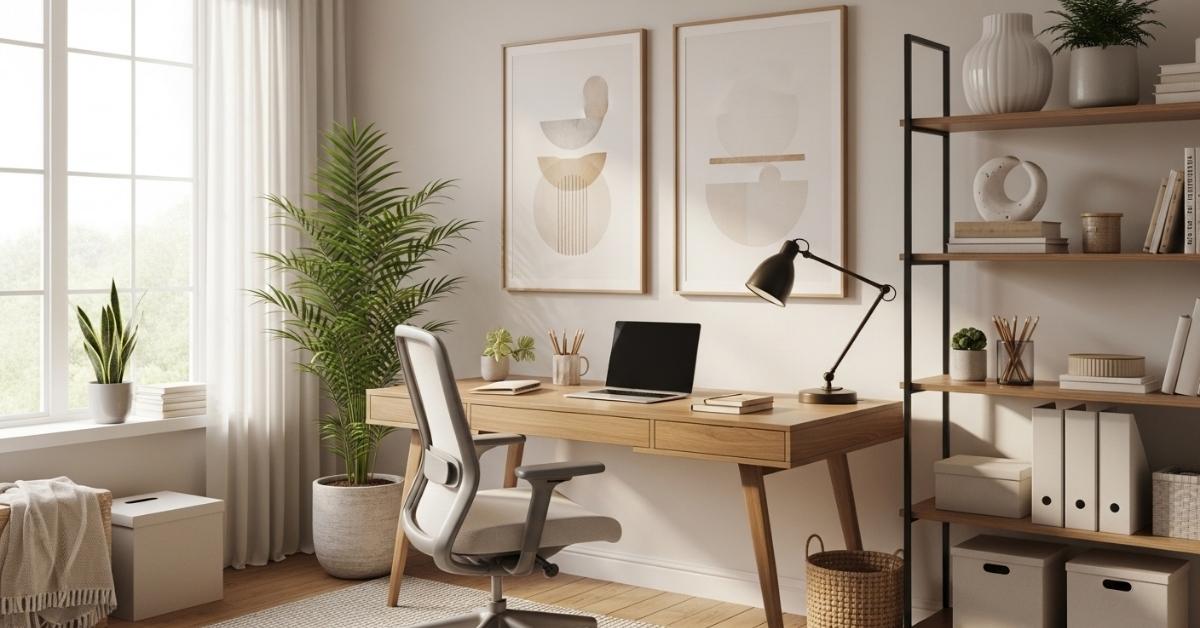
There’s a real difference between a desk you tolerate and a workspace that pulls you in. If your home office currently feels like a forgotten corner cluttered, dim, or just aesthetically flat Home Office Decor Ideas you’re not imagining it. Environment affects focus more than most people give it credit for, and a poorly designed workspace can make even simple tasks feel harder than they need to be.
This list is for anyone working with a spare bedroom, a studio apartment nook, or an awkward corner that needs to function for both work and life. These aren’t aspirational Pinterest fantasy setups; they’re practical, room-tested ideas that balance aesthetics with real usability. Some require a weekend, some require ten minutes. All of them work in real homes.
The Floating Desk Wall Setup

Mounting a slim floating desk directly onto the wall especially under or beside a window does something a freestanding desk rarely achieves: it makes a small room feel intentional rather than cramped. The wall space below the desk stays open, which keeps the floor clear and makes the room read larger. Pair it with a wall-mounted shelf above for books and storage, and you’ve created a full workstation without any furniture footprint on the floor. This setup works particularly well in bedrooms used as part-time offices, since everything can be styled to disappear when the laptop closes.
The Warm-Toned Neutral Palette
Cool grays and stark whites dominated office design for years, but in 2026 the shift is clearly toward warm neutrals, creamy whites, sand, warm taupe, and muted terracotta accents. This works for home offices because warm tones reduce the clinical edge that makes a workspace feel sterile. An oak or walnut-finish desk, linen curtains that filter rather than block light, and a warm-white desk lamp can shift the entire feel of a room without a single piece of furniture changing. The practical win is that warm-toned spaces feel less fatiguing during long work sessions cooler color temperatures are associated with higher alertness short-term, but over eight hours they can feel harsh.
Layered Lighting Setup: Task + Ambient + Accent

Single overhead lighting is one of the most common home office mistakes; it creates flat, shadow-heavy illumination that strains eyes and makes the room feel institutional. A layered lighting setup uses three sources: a ceiling or pendant for general ambient light, a focused task lamp on the desk surface, and a secondary accent source (like a small floor lamp or LED strip behind the monitor) to reduce screen glare by raising the background luminance. This third light source is the one most people skip, but it’s the one that makes the biggest visual difference by softening the contrast between a bright screen and a dark wall. Works especially well in rooms with limited natural light.
The L-Shaped Corner Desk Configuration
Corner desks often get dismissed as oversized or old-fashioned, but an L-shaped configuration is genuinely one of the most functional layouts for anyone whose work involves both screen time and physical materials notebooks, sketchbooks, design samples, documents. The key is using one arm for the monitor and keyboard and keeping the other side deliberately clear as a secondary working surface. This setup solves the problem of “not enough space to spread out” without requiring a larger room; you’re using corner square footage that would otherwise be wasted. It’s especially effective in square rooms where the corner is the widest uninterrupted wall space available.
Read More About : 24 Kids Room Ideas That Actually Work in Real Homes (Without the Chaos)
Open Shelving as a Visual Backdrop

A thoughtfully styled open shelf behind or beside your desk creates what videographers and remote workers have quietly figured out: a curated background that communicates personality without looking chaotic. The styling rule here is simple group items in odd numbers, mix tall and short objects, and leave gaps between groupings. Books with spines facing forward, one or two small plants, a single framed print, and a neutral ceramic or two will do it. Avoid filling every shelf completely; the negative space is part of the composition. For renters, this approach works entirely with wall anchors and no permanent changes to the space.
The Dedicated Monitor Arm Setup
A monitor arm is arguably the single highest-ROI purchase for any home office that uses a desktop or external monitor. By lifting the screen off the desk and putting it on an articulating arm, you immediately reclaim the desk surface beneath it that footprint is often 30–40% of the usable desk area. The monitor arm also lets you dial in exact ergonomic positioning: eye-level height, distance, and tilt, all adjustable without shoving the monitor around. Paired with cable management clips run along the underside of the desk, the whole setup gains a clean, considered look that’s difficult to achieve any other way.
A Dedicated Focus Wall with a Single Large Print

Decorating the wall behind a home desk with multiple small frames, a gallery wall, or an assortment of pinned items creates visual noise that competes with focus. One large-scale print abstract, landscape, or even a minimal typographic piece does the opposite: it anchors the room, provides visual rest, and reads as intentional rather than curated-to-impress. In my experience, this works best when the print is mounted slightly higher than feels natural, so it sits clearly above the monitor line and acts as a framing element for video calls without being distracting.
The Stand-Up Desk Converter Option
Not everyone has the budget or space for a full standing desk. A standing desk converter addresses both constraints. It sits on top of your existing desk and raises the laptop or monitor to standing height when needed, then lowers back down. For anyone who works seated for most of the day but wants the option to shift position, this is a practical middle ground. The most functional models have independent keyboard trays so the typing surface stays at a different height than the screen. This setup works well in rooms where the desk doubles as something else in the evening; the converter can simply be lowered and the desk looks normal again.
Zone Separation in a Shared Room

Working from a studio or shared bedroom is a genuine design challenge; the brain struggles to shift into work mode when the workspace bleeds into the relaxation zone. Zone separation doesn’t require walls. A low bookshelf placed perpendicular to the desk can act as a visual divider. A rug under the desk area defines the floor plane and signals “this is the work zone.” Positioning the desk to face away from the bed is another spatial cue that helps you’re not staring at the place you sleep while you try to focus. These are small spatial signals, but they have a measurable effect on how easily you mentally transition between modes.
Cable Management as a Design Principle
Visible cable chaos is one of the most reliable ways to make an otherwise nice home office feel unfinished. The tools for addressing it are inexpensive: cable management clips that run cables along desk edges, a small cable box or fabric pouch that conceals the power strip, and velcro cable ties for bundling. For standing desks with cables that need to travel vertically, a cable raceway strip along the desk leg hides the movement. This isn’t about aesthetics alone; organized cables are easier to troubleshoot, less prone to damage, and reduce the cognitive friction of sitting down at a messy desk.
A Statement Desk Chair That Holds Its Shape

Most people choose a desk chair last, treating it as an afterthought after the desk and shelves are decided. It’s worth reversing that. The chair is often the largest single object in a home office and the one your eye goes to first. A well-chosen chair ergonomic mesh in a neutral black or white, or a solid boucle or leather option in a muted color sets the tone for the whole space. The practical caveat: visual appeal and lumbar support are not mutually exclusive, but they require more research. Chairs that look good and actually support you over an eight-hour day are out there; they typically cost more than $200, but they last significantly longer and save discomfort.
Plants That Tolerate Low Light Conditions
Plants in a home office do two things that are genuinely useful: they add organic texture to an otherwise hard-edged, tech-heavy environment, and research consistently links plant presence with reduced stress and improved air quality in enclosed spaces. The practical challenge is that many offices have limited light. Snake plants, pothos, ZZ plants, and Chinese evergreens all tolerate low to medium indirect light and irregular watering; they’re essentially maintenance-resistant. A small succulent on the desk for visual detail, a trailing pothos on a shelf at eye level, and a floor-standing snake plant in the corner covers all three spatial zones without requiring a green thumb.
The Built-In Bookcase Desk Illusion

Full built-in shelving around a desk typically costs thousands of dollars. A modular version using standard bookcase units flanking a desk bridge or even a wide plank spanning two identical shelf units creates the same visual effect for a fraction of the cost. The key is matching finishes: if the shelf units are white, the desk surface should be white or a very light wood. Styling the shelves with some books, some objects, and some intentional empty space completes the effect. This approach gives you significant storage, a substantial visual anchor for the room, and the organized backdrop that built-ins provide without permanent installation.
Acoustic Panels as a Design Feature
Open-plan homes and hard floors make echo a real issue for video calls and general focus. Acoustic wall panels fabric-wrapped and available in dozens of neutral colors address the sound problem while doubling as intentional wall decor. Mounted in a pair beside or behind the desk, they break up a bare wall and add a layer of texture that photographs and reads well on camera. This is one I’d actually recommend trying first if your home office has noticeable echo issues, because it solves two problems with one addition. They’re renter-friendly with the right command strips, and can be moved without damage.
Read More About : 29 Dining Room Ideas That Make Every Meal Feel Like an Occasion
Dedicated Printer and Paper Storage

The printer is the most aesthetically disruptive element in most home offices; it’s large, visually awkward, and often ends up surrounded by paper clutter. Moving it off the main desk and onto a dedicated low side table or rolling cart immediately improves the cleanliness of the primary workspace. A small rolling cart with two or three drawers gives you the printer on top, paper in one drawer, and miscellaneous supplies in another. When it’s on wheels, you can pull it out when you need it and roll it partially behind the desk or into a closet when you don’t. This is especially useful in multi-purpose rooms where the office needs to disappear outside work hours.
The Single-Color Accessory Method
Desk clutter often isn’t a quantity problem, it’s a coherence problem. Five objects in five different colors read as messy; five objects in one color family read as curated. Choosing a single accent color for desk accessories, a sage green ceramic mug, matching pen cup, a green desk pad, and a small plant in a green pot makes the desk surface feel organized even when it’s not perfectly neat. This is one of the lower-effort ideas here and one of the more visually satisfying, because the payoff is immediate and obvious.
Pegboard as a Functional Wall Feature

A pegboard mounted on the wall beside or behind the desk turns dead wall space into active storage while keeping everything visible and accessible. Unlike closed drawers, a pegboard lets you see exactly what you have and grab it without opening anything. Small shelves, hooks for headphones, clips for cables, a small container for pens all of it off the desk surface. Paint the pegboard to match the wall color and it reads as a design element rather than a utility board. This works especially well in smaller offices where desk space is limited and every square inch of the desk surface needs to stay clear for actual work.
A Reading or Thinking Chair in the Corner
Not every work task requires a desk. Adding a small armchair to the corner of a home office with a side table and a floor lamp creates a secondary zone for reading, phone calls, video chats without the formal desk frame, or simply thinking without staring at a screen. This setup is particularly valuable in home offices that double as a primary living space, because the chair gives the room another use identity. It also makes the office feel less like a workstation and more like a room, which matters for the hours before and after the work day.
Smart Desk Lighting with Color Temperature Control

Not all light is the same, and most fixed desk lamps don’t account for that. A smart task lamp or any lamp with adjustable color temperature lets you dial between cooler, higher-Kelvin light during focused morning work and warmer, lower-Kelvin light for late afternoon or evening sessions. The practical benefit is real: cooler light (around 5000K) supports alertness for detail work; warmer light (around 2700K) is easier on the eyes for reading, calls, and winding down. This is particularly relevant in home offices without much natural light variation throughout the day.
Minimalist Gallery Wall With a System
Gallery walls fail aesthetically when they’re random different frame finishes, inconsistent spacing, no visual logic. A minimalist gallery wall works by applying a system: same frame finish (usually matte black or thin natural wood), same frame size throughout, and consistent spacing between pieces (typically 3–4 inches). Limit it to three to five pieces and keep the subject matter loosely cohesive, all architectural, all abstract, all landscape rather than mixed genres. Mounted in a horizontal row beside the desk rather than behind it, this approach adds personality without creating the visual noise that disrupts focus during the work day.
Closed Storage to Hide Workflow Clutter

Open shelving is great for display. It’s terrible for workflow cluttering the stacks of documents, spare cables, reference books, and random supplies that accumulate in an actively used office. A filing cabinet, a two-door credenza, or even a simple cabinet with doors keeps all of that out of sight while keeping it accessible. The visual effect is significant: the room reads as clean and organized even during a busy work period. For smaller offices, a two-drawer filing cabinet in a matching finish to the desk pulls double duty as additional surface space and storage.
The Dual Monitor Configuration
Two monitors are a genuine productivity upgrade for anyone who works across multiple applications simultaneously, a common reality for most knowledge workers. The setup that works best visually is two identical screens mounted on dual monitor arms at the same height, with the primary screen directly in front and the secondary at a slight angle. Matching screen bezels make a significant difference aesthetically; mismatched monitors in different sizes or finishes look improvised. Combined with cable management and a simple desk pad underneath, a dual monitor setup can look clean and intentional rather than tech-heavy and cluttered.
Wall-Mounted Corkboard or Magnetic Board

A physical pinboard beside the desk keeps project notes, reference materials, and to-do lists out of the digital-only workflow and in peripheral view which is useful for anyone who works better with visual cues. A framed corkboard (rather than the bare, unframed kind) looks considered rather than temporary. Natural cork in a thin black frame reads as a design object. A magnetic paint-treated section of wall, if you’re willing to paint, achieves the same result seamlessly. Either option turns an unavoidable workflow reality: physical notes exist into part of the room’s visual language.
The Low Bookshelf as a Room Divider
In open-plan homes, the home office space often lacks definition; there’s no door, no clear boundary, and the workspace bleeds into the living area. A low bookshelf positioned perpendicular to the wall at waist height creates a soft visual boundary without closing the space off entirely. Light and sightlines still pass over it, so the room doesn’t feel smaller, but the defined boundary gives the workspace its own territory. Style it lightly with a few books, one plant, some neutral objects so it functions as decor from the living side and storage from the office side.
Texture Mixing on a Neutral Palette

Neutral doesn’t have to mean flat. A home office that stays within a tight color palette of warm white, sand, light oak can still have significant visual depth through material contrast: a woven linen curtain, a smooth ceramic pen holder, a rough-textured woven desk mat, a matte wood desk surface. The visual interest comes from the tactile variation between materials, not from color contrast. I’ve noticed this style tends to photograph particularly well and hold up over time, because there’s no single trend-driven element that will feel dated in two years, just well-chosen materials that age naturally.
The Floating Shelf Command Center
A pair of floating shelves directly beside or above the desk can organize everything from the router to the charging station to the reference books that don’t fit in drawers. The trick is treating these shelves as a system where every object has a category and stays in it rather than a surface to pile things on. A small wooden tray corrals the cables and small devices. Books stand upright with a bookend. A narrow label maker organizes anything in containers. The result is what some people call a command center: a single, contained zone where everything related to the mechanics of working from home lives.
The Personal Element That Makes It Yours

Every design rule in this list can be followed correctly and still produce a home office that feels like it belongs to no one. One or two personal objects, a small framed photo, an object from a place you’ve traveled, a mug with significance grounds the space in actual personality without disrupting the visual system. Honestly, it’s easy to over-optimize a home office for aesthetics and end up with something that looks good on camera but doesn’t feel like yours to work in. The goal is both.
What Actually Makes These Home Office Ideas Work
Most home office setups fail not because of bad individual choices but because of structural issues, misaligned lighting, too much visual information on surfaces, no physical separation between work and non-work zones. Here’s what separates setups that look good in photos from ones that actually function day-to-day:
Ergonomics define the desk choice, not the other way around.
The desk height, chair height, and monitor position form a system. A beautiful desk at the wrong height creates strain that no amount of styling fixes.
Lighting is the most leveraged variable.
One well-placed light upgrade, a monitor backlight, a better task lamp, a dimmer switch on the overhead changes the feel of the room more than any piece of furniture can. Start there before buying anything else.
Storage capacity determines long-term cleanliness.
A minimal-looking office only stays minimal if there’s somewhere for everything to go. If the storage isn’t there, the surfaces will accumulate regardless of intention. Plan for more storage than you think you need.
Zones matter even in small spaces.
The clearer the boundary between the workspace and the rest of the room visually, spatially, or both the easier it is to switch contexts mentally. This applies whether you’re in 400 square feet or 1,400.
Home Office Decor: Setup Comparison Guide
| Setup | Best For | Space Type | Problem It Solves | Difficulty |
| Floating desk | Small rooms, renters | Any | Floor clutter, limited footprint | Easy |
| L-shaped desk | Multi-task workers | Medium–large room | Surface space shortage | Medium |
| Monitor arm | Screen-heavy workflows | Any | Desk surface clutter | Easy |
| Pegboard wall | Active, visual workflows | Any | Desk overflow, cable mess | Easy |
| Corner reading chair | Long work days, calls | Medium–large room | Single-zone fatigue | Easy |
| Dual monitor arms | Developers, analysts | Dedicated office | Multi-app inefficiency | Medium |
| Zone divider shelf | Studio/shared space | Open plan | Work-life boundary blur | Easy |
| Built-in bookcase illusion | Storage-heavy needs | Any | Storage + visual anchor | Medium |
Common Home Office Mistakes That Make Your Space Feel Smaller or Cluttered
Putting the desk against a blank wall without addressing the wall.
A bare wall directly in front of you creates a flat, uninspired line of sight and makes the space feel smaller. One large print, a floating shelf, or a pegboard changes the entire spatial experience.
Buying a desk before measuring monitor height.
If the monitor ends up too low (requiring you to look down) or the desk too high (raising your shoulders while typing), no amount of decor will make the space comfortable for long sessions.
Using the desk as the only storage surface.
When the desk is the only flat surface in the room, everything migrates to it. Add a rolling cart, a side table, or wall storage so the desk has clear competition.
Overhead-only lighting.
Covered above but it’s worth repeating because it’s the most universal issue. Single overhead lighting makes any room feel harsh and creates eye strain at a desk.
Scaling furniture to the room rather than the function.
A very large desk in a small room restricts movement and makes the space feel tighter. A desk that fits the function typically 48–60 inches for most home workers leaves room to move without sacrificing surface area.
Ignoring sound.
Hard floors, bare walls, and no soft furnishings create an echo that makes video calls difficult and general focus harder. A rug under the desk and curtains on the windows make a measurable acoustic difference.
FAQ’s
What’s the most important element to get right in a home office?
Lighting and ergonomics tied. Most people focus on aesthetics first, but poor lighting strains eyes during long sessions and poor chair/desk height creates physical strain that no design choice can compensate for. Get those two right before anything else.
How do I decorate a small home office without making it feel cramped?
Use vertical space floating shelves, tall bookcases, pegboards instead of adding floor-level furniture. Keep the desk itself clear, use a wall-mounted monitor or monitor arm, and choose one large piece of art instead of several small ones. Empty floor space reads as room size.
What’s the difference between a home office that looks good and one that works well?
A space that looks good has a visually coherent consistent palette, controlled clutter, good proportions. A space that works well adds ergonomic positioning, sufficient task lighting, and enough storage that the surfaces stay clear during actual use. The best setups achieve both by solving function first and then styling within those constraints.
Floating shelf vs. traditional bookcase for a home office which is better?
Floating shelves keep the floor clear and feel lighter visually, which is better for small rooms. Traditional bookcases offer more storage capacity and stability for heavy books. Go for floating shelves if the priority is visual openness; use a bookcase if you have a genuine amount of material to store.
How do I make a home office feel separate from the rest of my home?
A dedicated rug under the desk, the desk positioned to face away from the living area, and a low bookshelf acting as a soft divider are the three most effective non-structural methods. Closing a laptop at the end of the work day also reinforces the boundary both physically and mentally.
Is a standing desk worth it for a home office?
For most people, a standing desk converter is a more practical starting point than a full motorized desk. It adds postural variety without a large upfront cost or space commitment. Full standing desks are worth the investment if you plan to use the sit-stand function consistently throughout the day. Research suggests benefits plateau quickly if you only stand occasionally.
What color palette works best for a home office in 2026?
Warm neutrals are the strongest trend right now creamy whites, sand, warm taupe, and muted earth tones as accents. These work because they reduce the clinical feel of a work environment, hold up well over time, and photograph well for video calls. Cool gray remains functional but feels less current.
Conclusion
A home office doesn’t have to be a significant renovation project to work well. The ideas here range from a ten-minute rearrangement to a Saturday afternoon project, and the ones that make the biggest difference are often the least expensive, better lighting, fewer objects on the desk, a clear zone boundary in a shared room. Small adjustments in these areas can genuinely shift how a space feels to work in, even if the bones of the room stay exactly the same.
Start with one or two ideas that address your most pressing issue: if it’s clutter, start with storage and cable management; if it’s mood, start with lighting; if it’s focus, start with zone separation. Build from there. The goal isn’t a magazine spread, it’s a space that makes the work day easier to start and easier to finish.
