

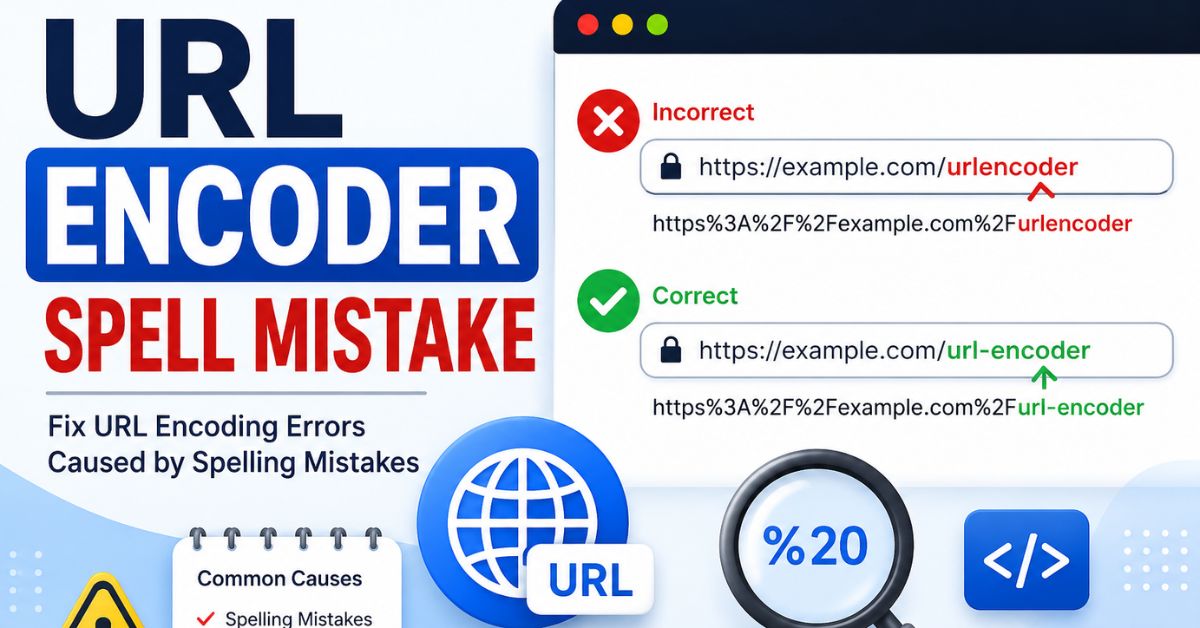
Ever typed a search query and watched the page break instead of load? That’s often a URL encoder spell mistake at work. Despite the name, this isn’t really about spelling. It’s about how browsers, servers, and apps handle special characters inside a web address. Get it wrong, and you’ll see broken links, failed logins, and confusing error pages. Get it right, and everything just works.
This guide walks you through what causes URL encoding errors, how to fix them, and how to stop them from happening again. We’ll cover the basics, the common mistakes, the security risks, and the tools that make your life easier. Let’s dig in.
What Is a URL Encoder Spell Mistake?
A url encoder spell mistake almost never means someone typed a word wrong. It means a character inside a URL got encoded incorrectly, or not encoded at all. Since search engines see people typing “url encoder spellmistake,” they assume it’s a spelling issue. In reality, it’s a technical one rooted in how URL encoding works.
This mix-up happens a lot because the phrase sounds like a typo problem. But developers, marketers, and site owners run into it while building links, submitting forms, or calling an API. Once you understand what’s actually going on, fixing it becomes much easier.
What Does the Term Actually Mean?
At its core, this term describes any error in percent encoding, the system browsers use to make URLs safe. A single missed character, like a space or an ampersand, can turn a working link into a malformed URL. That single slip is the real “mistake” behind the search term.
Common Situations Where It Happens
You’ll usually spot this problem in search bars, redirect links, or API calls. It also shows up when copying URLs between systems that handle URL syntax differently. Even a simple form submission can trigger it if the backend expects one URL formatting standard and the frontend sends another.
Understanding URL Encoding Fundamentals

Before fixing anything, you need to understand how URL encoding actually works. Every URL follows a set of rules known as RFC 3986. This standard defines which characters are safe to use directly and which ones need conversion first.
Some characters carry special meaning inside a URL, so they can’t appear as-is. Others are completely safe and pass through untouched. Knowing the difference is the foundation of every fix you’ll make later in this guide.
Reserved vs. Unreserved Characters
URL reserved characters include symbols like ?, &, #, and =. These characters control how a URL is structured, so using them incorrectly breaks parsing. Unreserved URL characters, on the other hand, include letters, numbers, hyphens, underscores, periods, and tildes.
| Character Type | Examples | Needs Encoding? |
| Reserved | ? & # = / | Yes, when used as data |
| Unreserved | A-Z a-z 0-9 – _ . ~ | No |
Percent-Encoding Explained
Percent encoding converts unsafe characters into a percent sign followed by a hexadecimal value. A space becomes %20. An ampersand becomes %26. This system lets any character travel safely inside a URL, no matter how unusual it looks.
UTF-8 Character Encoding
Modern websites rely on UTF-8 encoding to handle characters from every language. Before a character like “é” or “日” can be percent-encoded, it must first convert into UTF-8 bytes. Skipping this step is one of the most common reasons for a malformed URL.
Why Browsers Automatically Encode URLs
Most browsers handle browser URL encoding automatically when you type into the address bar. But this safety net doesn’t apply everywhere. APIs, JavaScript apps, and backend scripts often need developers to encode manually, which is exactly where mistakes creep in.
How URL Encoding Works
Understanding how URL encoding works step by step makes troubleshooting much simpler. The process always starts with identifying unsafe characters, then converting them using a consistent character set. Skipping steps, or applying them out of order, leads straight to encoding errors.
Once you see the pattern, it becomes second nature. Text gets converted to bytes, bytes get converted to hex, and hex values get prefixed with a percent sign. That’s the entire engine behind every properly encoded URL you’ve ever clicked.
The URL Encoding Process
The process starts by scanning the string for unsafe characters. Each one converts to UTF-8 bytes, and each byte becomes a two-digit hex code. Finally, a percent sign gets added before every hex pair, creating a safe, transmittable value.
Read More About : CNLawBlog Review 2026: Is It a Trusted Legal Resource for China Business Law?
Encoding Query Strings
Query string encoding protects the data sent after the question mark in a URL. For example, ?search=blue jeans becomes ?search=blue%20jeans. Without this step, servers may misread the space as a break between separate parameters.
Encoding Path Parameters
Path segments need care too, since encoding a slash inside a path can break routing entirely. Only the dynamic values inside a path, like a product name, should go through URL escaping. The static structure around them should stay untouched.
URL Encoding vs. URL Decoding
URL encoding and URL decoding sit on opposite ends of the same process. Encoding happens before data travels across the internet. Decoding happens once that data arrives, converting it back into readable text for humans or applications to use.
Confusing these two steps causes plenty of headaches. Encoding the same value twice, or decoding it when it’s already plain text, produces garbled or broken results. Knowing exactly when to apply each one prevents that entire class of problems.
Key Differences
| Process | Purpose | When It Happens |
| URL encoding | Converts special characters into safe format | Before sending data |
| URL decoder process | Converts encoded values back to original text | After receiving data |
When to Encode and When to Decode
Encode data right before you build a URL or send it in a request. Decode it only once, right after your server or app receives it. Following this simple rule avoids most double URL encoding issues down the line.
Characters That Must Be URL Encoded
Some characters simply can’t appear raw inside a URL. If they do, browsers and servers may misinterpret the request entirely. Knowing this list by heart saves you from a lot of debugging later.
These aren’t arbitrary rules. Each restricted character has a defined role in URL structure, so leaving it unencoded confuses parsing logic. Below are the main categories worth memorizing.
Spaces
A space isn’t valid inside a URL, so it always needs conversion. Most systems use %20, though HTML forms sometimes substitute a plus sign instead. Mixing the two conventions is a frequent source of URL encoding errors.
Reserved Characters
Symbols like &, ?, and # control how a URL is read. Using them as literal data, rather than structural markers, requires percent-encoded characters to avoid confusion. Otherwise, servers may split a request into the wrong number of parts.
Special Symbols
Quotation marks, plus signs, and percent signs themselves need encoding too. Since the percent sign starts every encoded sequence, an unencoded one can trigger invalid percent encoding errors. This is one of the sneakier mistakes developers make.
Unicode and International Characters
Emoji and non-English letters both need encoding before they’re safe to transmit. These characters often span multiple bytes, so accurate character encoding matters even more here. Getting this wrong is especially common on multilingual websites.
Most Common URL Encoding Mistakes

Now let’s get into the mistakes that actually cause most real-world problems. These issues repeat across projects, frameworks, and industries, no matter how experienced the development team is. Recognizing them quickly saves hours of debugging.
Most of these mistakes stem from encoding data more than once, or not encoding it at all. Others come from mixing standards between systems that don’t agree on formatting. Let’s break each one down.
Double Encoding
Double URL encoding happens when an already-encoded value gets encoded again. A space that should read %20 might instead become %2520. This is one of the most frequent causes of broken redirects and failed logins.
Recursive Encoding Errors
Recursive URL encoding takes double encoding a step further, repeating the process across multiple systems. Each layer of an application, from frontend to proxy to backend, might add another round. By the time the value reaches its destination, it’s unreadable.
Spaces Encoded Incorrectly (%20 vs +)
Not every space encoding rule is the same everywhere. HTML forms traditionally use + for spaces, while most modern APIs expect %20. Mixing these standards inside the same application creates inconsistent, unpredictable results.
Forgetting to Encode Query Parameters
Skipping encode URL parameters entirely is a classic mistake. A search like ?city=New York breaks because the space isn’t converted. The fix is simple: always run dynamic values through a reliable URL encoder tool before inserting them.
Encoding an Entire URL Instead of Individual Components
Encoding the whole address at once, including the protocol and domain, breaks its basic structure. Only the dynamic parts, like query values or path segments, should go through encoding. This mistake is surprisingly common among beginners.
Invalid Percent Sequences
Invalid percent encoding happens when a percent sign isn’t followed by two valid hex digits. Browsers and servers can’t interpret sequences like %2G, since “G” isn’t a valid hex character. This usually results in an outright invalid URL.
Incorrect UTF-8 Encoding
Mismatched character sets between the frontend and backend produce garbled, unreadable text. This is especially common with internationalized URLs where the client uses one encoding and the server expects another. Standardizing on UTF-8 URL encoding everywhere solves it.
Encoding Reserved Characters Unnecessarily
Some developers encode characters like slashes even when they’re serving their intended structural purpose. Over-encoding a path separator can break routing just as badly as leaving a space raw. Context always matters here.
Broken Query Parameters
When any of the mistakes above pile up, the result is usually the same: broken URL parameters that servers can’t parse correctly. This often shows up as missing data, truncated values, or outright request failures.
What Causes URL Encoding Errors?
Understanding the root causes helps you prevent problems before they start. Most URL encoding errors trace back to a handful of repeatable patterns across different teams and tech stacks. Once you spot the pattern, prevention becomes much easier.
These causes usually involve either human error during manual coding, or a mismatch between systems that don’t share the same rules. Let’s look at the most frequent offenders.
Manual URL Construction
Building URLs by hand, using simple string concatenation, invites mistakes fast. Developers often forget to encode a variable before inserting it into the string. Using a trusted URL encoder tool or library removes this risk almost entirely.
Mixing Different Encoding Methods
Combining + for spaces in one part of an app, and %20 in another, creates inconsistency. This mismatch often appears when legacy code meets a newer framework. Standardizing your approach across the whole codebase avoids the confusion.
Frontend and Backend Encoding Conflicts
Problems multiply when both frontend encoding and backend validation encode the same value independently. What started as a single space might end up double URL encoded by the time it hits the database. Clear ownership of each step prevents this.
Read More About : Brumeblog com Review (2026): What It Is, How It Works, Is It Safe, and Is It Legit?
Third-Party API Integration Issues
External libraries sometimes encode values automatically without telling you. If your code encodes the value again before sending it, you’ll trigger a recursive URL encoding chain. Always check documentation for API URL encoding behavior before integrating.
Real-World URL Encoding Error Examples
Seeing these mistakes in action makes them easier to recognize later. Real URL encoding examples show exactly how a small formatting slip snowballs into a bigger, user-facing problem.
Below are some of the most common scenarios developers and site owners run into. Each one has a clear cause, and a clear fix, once you know what to look for.
Search Query Failure
A search box query like machine learning fails silently if the space isn’t encoded. Instead of %20, an unencoded space splits the request into two separate, meaningless parameters. The fix is a simple pass through a reliable encoder.
Login Redirect Failure
Authentication systems often pass a “redirect after login” URL as a parameter. If that URL gets encoded twice, the server can’t match it against its expected format. Users end up stuck in a loop, or redirected to the wrong page entirely.
Broken File Download Links
File names containing spaces or accented characters frequently break download links. Without proper UTF-8 encoding, the server can’t locate the exact file requested. This is a common issue on web servers hosting user-uploaded content.
API Request Failure
REST API requests depend on predictable formatting for every parameter. A single unencoded ampersand can split one parameter into two, causing the entire API request to fail. This often shows up as a confusing, unrelated error message.
Encoded Slashes Causing Routing Errors
Encoding a forward slash as %2F inside a path can confuse routing logic entirely. Many web servers treat %2F differently from a literal slash, breaking the intended URL path. This mistake is subtle but shows up often in REST-style routing.
International Characters Breaking URLs
A URL containing untranslated Japanese or Arabic characters may fail to load at all. Without the correct character conversion into UTF-8 first, browsers and servers simply can’t interpret the address. This is a major concern for multilingual websites.
How URL Encoding Errors Affect Websites
URL encoding errors don’t stay contained to one part of a site. They ripple outward, touching everything from navigation to checkout flows. Left unresolved, they quietly chip away at both usability and revenue.
Here’s a look at how these problems show up across different parts of a website, and why fixing them quickly matters so much.
Broken Links
Visitors clicking a badly encoded link often land on a blank page, or nowhere at all. This directly damages trust and increases bounce rates. Even one broken link in a prominent spot can hurt the whole user experience.
Failed Forms
Forms that don’t properly encode special characters may silently drop part of the submitted data. A customer typing “Smith & Sons” into a company name field might lose the “& Sons” entirely. That’s a quiet but costly bug.
Redirect Problems
Authentication and checkout flows depend heavily on accurate redirect URLs. Open redirect issues and broken chains often trace back to encoding mismatches. Fixing this usually restores smooth, expected navigation for users.
HTTP 400 and 404 Errors
Malformed requests frequently trigger HTTP status codes like 400 Bad Request or 404 Not Found. These errors confuse users who have no idea what went wrong behind the scenes. Server logs usually reveal the real cause quickly.
API Failures
API requests depend on exact formatting to function correctly. A missed encoding step anywhere in the chain can cause silent failures or rejected calls. This is especially painful in production environments with live customers.
Download Errors
As mentioned earlier, files with spaces or Unicode characters in their names often fail to download. This creates a frustrating experience, especially for e-commerce or documentation sites that rely on downloadable content.
How URL Encoding Mistakes Affect SEO
Search engines depend on clean, consistent URLs to crawl and index your site properly. SEO optimization efforts can quietly fail if your URL structure contains hidden encoding inconsistencies. This is a technical SEO issue many teams overlook.
Left unchecked, these mistakes can waste crawl budget and confuse ranking signals. Let’s look at exactly how this plays out.
Crawlability Issues
Search engine bots may struggle to follow links containing malformed URL patterns. This slows down search engine crawling, meaning fewer of your pages get discovered and indexed in a timely way.
Duplicate Content
Different encoded versions of the same URL can appear as separate pages to search engines. This creates unintentional duplicate URLs, diluting ranking signals that should be concentrated on a single, canonical version.
Canonical URL Problems
Inconsistent encoding between your actual page URL and your declared canonical URLs confuses search engines further. They may not recognize the two as the same page, splitting authority between them unnecessarily.
Indexing Errors
Search consoles often report indexing issues tied directly to encoding inconsistencies. Pages that should rank well sometimes get excluded entirely, simply because their URLs don’t match expected formatting.
Poor User Experience
Search engines increasingly factor user experience into rankings. Broken links and failed page loads caused by encoding mistakes directly hurt these signals, indirectly affecting your website performance in search results.
International SEO Challenges
Sites targeting multiple regions and languages face extra encoding complexity. Consistent encoding validation across every localized URL is essential for maintaining strong rankings in each target market.
Security Risks of Improper URL Encoding
Encoding isn’t only about usability. It plays a real role in web application security too. Getting it wrong doesn’t just break links, it can open the door to serious vulnerabilities.
Understanding these risks helps you treat encoding as a security practice, not just a formatting detail. Here’s what’s at stake.
Injection Attacks
Poorly encoded parameters can allow attackers to sneak malicious code into a request. These injection attacks exploit gaps between what a system expects and what it actually receives, often through unencoded special characters.
Cross-Site Scripting (XSS)
Cross-site scripting (XSS) attacks often rely on improperly encoded user input being reflected back into a page. Correct output encoding at the right stage significantly reduces this risk across your application.
Path Traversal
Attackers sometimes use encoded characters to bypass directory restrictions and access files they shouldn’t. This is why validating decoded paths, not just raw input, matters so much for security.
Input Validation Problems
User input validation should always happen before encoding, not instead of it. Encoding alone doesn’t verify that data is safe. It only makes it transportable.
Why Encoding Is Not the Same as Sanitization
| Process | What It Does | What It Doesn’t Do |
| URL encoding | Makes data safe for transport | Doesn’t remove dangerous content |
| Input sanitization | Removes or neutralizes harmful input | Doesn’t format data for URLs |
URL Encoding in APIs
API URL encoding deserves special attention because APIs are unforgiving about formatting. A single unencoded character can cause an entire request to fail, often with a vague error message.
Understanding exactly where encoding fits into API design prevents a lot of frustrating debugging sessions later.
Common REST API Encoding Problems
REST API endpoints frequently reject requests containing unencoded reserved characters in query strings. This is one of the most common causes of unexpected HTTP status codes during integration testing.
Encoding JSON Parameters
When JSON data gets passed inside a URL, it needs careful encoding to avoid breaking the request structure. Nested quotes and brackets are especially prone to causing parsing failures if left raw.
API Authentication Issues
API authentication flows, especially OAuth-style redirects, are particularly sensitive to encoding mistakes. A double-encoded redirect URL can break the entire login process, locking users out unexpectedly.
Frontend vs. Backend URL Encoding Responsibilities
Clear ownership of encoding tasks prevents a lot of confusion across a development team. When both frontend and backend try to handle the same job, mistakes multiply fast.
Defining these responsibilities early in a project saves significant debugging time later.
Frontend Responsibilities
The frontend typically handles frontend encoding of user input, search queries, and dynamically generated links before sending them to the server.
Backend Responsibilities
The backend handles backend validation, database queries, and generating redirect URLs, applying its own encoding rules consistently across all outgoing responses.
Common Encoding Conflicts
Conflicts arise when both layers assume the other has already handled encoding. Establishing a single source of truth for this responsibility eliminates most double URL encoding problems.
Programming Language Examples for Safe URL Encoding
Every major programming language includes reliable, built-in tools for encoding. Relying on these instead of custom logic dramatically reduces mistakes.
| Language | Function | Notes |
| URL encoding in JavaScript | encodeURIComponent | Best for individual query values |
| URL encoding in PHP | rawurlencode | Follows RFC 3986 closely |
| URL encoding in Python | urllib.parse.quote | Standard library, well tested |
| URL encoding in Java | URLEncoder.encode | Requires specifying charset |
| URL encoding in C# | Uri.EscapeDataString | Recommended over older methods |
JavaScript
encodeURIComponent is the standard choice for encoding individual values before inserting them into a URL. It handles reserved characters correctly without over-encoding the rest of the string.
PHP
rawurlencode follows modern URL encoding standards closely, making it the preferred choice over the older urlencode function, which still uses + for spaces.
Python
urllib.parse.quote is part of Python’s standard library, giving developers a dependable, well-tested option for safe encoding without extra dependencies.
Java
URLEncoder.encode requires specifying a character set explicitly, usually UTF-8, to avoid incorrect UTF-8 encoding issues across different environments.
C#
Uri.EscapeDataString is the modern recommended method, replacing older approaches that sometimes produced inconsistent results across .NET versions.
How to Diagnose URL Encoding Problems
Diagnosing encoding issues gets much faster with the right tools and a consistent process. URL troubleshooting doesn’t have to mean guesswork.
Here’s where to start when something isn’t working as expected.
Browser Developer Tools
Browser Developer Tools let you inspect the exact request being sent, including headers and encoded parameters, directly from the Network tab.
Network Traffic Inspection
Tools like Postman and cURL let you test requests independently of your application, isolating whether the problem is client-side or server-side.
Server Log Analysis
Server logs often reveal the exact malformed request that triggered an error, making them one of the fastest ways to pinpoint root causes.
Validate Encoded URLs
Running suspicious URLs through a dedicated URL validation tool quickly confirms whether the formatting is correct before you dig deeper.
Detect Double Encoding
Watch for repeated percent signs, like %25, which usually indicate double URL encoding somewhere earlier in the request chain.
Step-by-Step Process to Fix URL Encoding Errors
Once you’ve identified a problem, a repeatable process makes fixing it far less stressful. Here’s a straightforward path to follow.
Working through these steps in order avoids missing a step that reintroduces the same bug later.
Identify the Problem URL
Start by isolating exactly which request is failing, using logs or developer tools to capture the raw, encoded URL.
Locate Invalid Characters
Compare the URL against expected URL syntax, checking specifically for unencoded reserved characters or invalid percent encoding.
Apply Correct Encoding
Run the affected value through a trusted URL encoder tool or standard library function, rather than fixing it manually.
Test URL Decoding
Confirm that a proper URL decoder tool correctly restores the original value, verifying the fix worked as intended.
Verify Across Browsers
Test the corrected URL across multiple browsers, since browser URL encoding behavior can vary slightly between them.
Monitor Production Logs
After deploying the fix, keep an eye on server logs for a few days to confirm the issue doesn’t resurface elsewhere.
Best Practices to Prevent URL Encoder Spell Mistakes
Prevention beats troubleshooting every time. Following consistent URL encoding best practices keeps these problems from showing up in the first place.
Here are the habits worth building into every project from day one.
Always Use Built-In Encoding Functions
Rely on language-standard encoding libraries instead of writing custom logic, since built-in functions are already tested against edge cases.
Standardize on UTF-8
Apply UTF-8 character set rules consistently across your entire stack, from frontend forms to backend storage.
Validate User Input
Combine input sanitization with encoding, rather than treating encoding as a substitute for proper validation.
Avoid Manual URL Construction
Skip manual string concatenation when building URLs, especially for dynamic URLs containing user-generated values.
Test Edge Cases
Include emoji, accented characters, and unusual symbols in your testing to catch encoding consistency issues early.
Document Encoding Rules
Write down exactly where encoding happens in your system, so future developers don’t accidentally duplicate the process.
Automate URL Testing
Add automated checks for URL formatting into your CI/CD pipeline to catch regressions before they reach production.
Recommended URL Encoding Tools
Having the right tools on hand makes both prevention and troubleshooting far easier.
Here’s a quick reference for what to reach for in different situations.
Online URL Encoder/Decoder Tools
An encode URL online or decode URL online tool is perfect for quick, one-off checks without writing any code.
Browser Developer Tools
Built directly into every modern browser, these tools show exactly what’s being sent and received in real time.
Programming Library Functions
Standard library functions remain the most reliable option for production code, since they’re maintained and tested by language communities.
API Testing Tools
Postman and cURL both let you test API requests independently, helping isolate encoding issues before they reach your application.
URL Encoding Checklist for Developers
A simple checklist keeps encoding consistent across a project’s entire lifecycle.
| Stage | Focus |
| During Development | Use standard libraries for every encode and decode step |
| Before Deployment | Test edge cases like Unicode and emoji |
| During Testing | Verify request processing across browsers and devices |
| Production Monitoring | Watch server logs for encoding-related errors |
During Development
Apply consistent encoding rules from the first line of code, rather than retrofitting them later.
Before Deployment
Run a final pass across all dynamic URLs, confirming every parameter is correctly encoded.
During Testing
Include international characters and special symbols in your test suite to catch hidden issues.
Production Monitoring
Set up alerts for unusual spikes in 400 or 404 errors, which often signal encoding problems.
Frequently Asked Questions
What is a URL encoder spell mistake?
It’s a common search phrase for URL encoding errors, not an actual spelling mistake. Most cases involve incorrect percent encoding or double URL encoding.
Why do spaces become %20 or +?
Spaces aren’t valid inside URLs. Most standards convert them to %20, though HTML forms sometimes use + instead.
What causes double URL encoding?
It happens when an already encoded URL value passes through another encoding step, often due to frontend and backend encoding conflicts.
Should I encode the entire URL?
No. Only dynamic components, like query values, need encoding. Encoding the full address breaks its URL structure.
How do I fix invalid URL encoding?
Identify the problem value, then run it through a trusted URL encoder tool before testing with a URL decoder tool.
Can URL encoding affect SEO?
Yes. It can cause duplicate URLs, crawl errors, and lost ranking signals if left unresolved across your site.
Conclusion
A URL encoder spell mistake might sound small, but its effects reach far beyond a single broken link. From failed API requests to lost search rankings, encoding errors touch nearly every part of a website’s performance. The good news is that fixing them doesn’t require anything complicated.
Stick to trusted encoding libraries, standardize on UTF-8, and test thoroughly before every deployment. Combine that with regular monitoring, and most URL encoding errors simply stop happening. It’s a small habit that pays off in fewer support tickets, better rankings, and a smoother experience for everyone who clicks your links.
